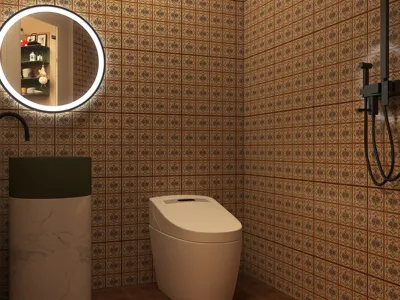


The OBJ file format is among the most prevalent types utilized in the domain of 3D modeling, and its importance in digital design is significant. Created by Wavefront Technologies back in the 1980s, the OBJ format is renowned for its straightforward nature and user-friendliness, establishing itself as a vital standard for anyone engaging in 3D creative work.
To effectively use OBJ files in your projects, it’s essential to grasp their structure. These files encapsulate vital information regarding a 3D model's geometry, including vertex coordinates, texture mappings, and normal vectors. Such features render the OBJ format particularly advantageous for applications like 3D printing and graphic rendering.
One of the defining qualities of the OBJ format is its ability to handle textures and colors, greatly enhancing the realism of the models produced. This is achieved by linking the 3D model mesh to image files that describe the surface characteristics, resulting in detailed visual representations.
Prominent Features of OBJ Files:
1. **Geometry Representation:** The OBJ format precisely outlines 3D geometries by using a collection of vertices and corresponding face definitions. Each object is created from points positioned in three-dimensional space, interconnected to form polygons, which are predominantly triangles or quadrilaterals.
2. **Texture Mapping:** Typically, OBJ files are associated with MTL files that present material specifications, including textures, colors, and shaders. This connection enhances detail and visual appeal in 3D models, raising the quality of their representation.
3. **Interoperability:** A significant benefit of OBJ files is their compatibility with an extensive array of 3D software, making them an excellent choice for designers needing to transfer models across multiple applications without sacrificing detail or quality.
Typical Applications for OBJ Files:
Various professionals, including game developers, marketers, and architects, regularly employ OBJ files. These files play a crucial role in generating accurate visualizations, whether for product designs, architectural projects, or animated figures, thus enhancing client engagement and presentation quality.
Frequently Asked Questions
Q: Are animations supported in OBJ files? A: No, OBJ files are designed solely for static geometries and do not accommodate animations.
Q: Which software can I use to open OBJ files? A: OBJ files can be opened using various applications, such as Blender, Maya, 3ds Max, and SketchUp. Most 3D software packages provide support for this format, enhancing its versatility across different workflows.
Q: How can I convert other file formats to OBJ? A: There are numerous 3D modeling tools and online converters available that facilitate the easy export of models to the OBJ format, making transitions between file types seamless.


Homestyler is your go-to online platform for home design, perfect for everyone from beginners to seasoned pros. With its easy-to-use design tool, stunning 3D renderings, and a wealth of DIY video tutorials, you'll have all the resources you need to transform your living space into a dream home.
Diseño ahora GRATIS
































