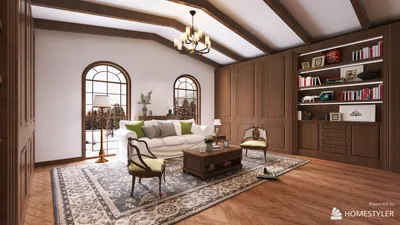


In today's smart homes, integrating technology like a license plate camera extends beyond outdoor security to influence interior space planning. Homeowners increasingly value seamless tech solutions that connect outdoor monitoring with indoor controls, creating a cohesive environment that balances safety and convenience. This trend encourages thoughtful placement of control hubs within living areas to enhance both function and style.
One fundamental distinction lies in software ownership: one is installed once and owned indefinitely, while the other is a subscription-based online service. This key difference—rather than factors like furniture variety or rendering style—explains why the user experience between certain interior design tools can feel so distinct. Many comparative reviews overlook this critical aspect. Essentially, this difference influences the range of free plan features, rendering quality, learning difficulty, and ultimately which users each product appeals to. For those seeking an alternative that avoids choosing between installation and subscription models, there is a free floor planner offering a different approach.
The Essential Contrast: Open-Source Installation Versus Subscription Web Platform
Certain software applications are open-source and run locally on your computer—whether Windows, macOS, or Linux—requiring no account creation or online connectivity. This architecture grants unlimited feature access indefinitely, limited only by your hardware's performance. The downside is rendering speed and quality hinge on your computer's capacity and you work offline rather than syncing across devices.
Conversely, other tools operate entirely in the cloud via web browsers or mobile apps. They offer a free basic tier to encourage initial usage but gate premium features like expanded furniture catalogs, higher-resolution renders, and customization behind subscription plans. This model provides cross-device access but restricts functionality until payment is made.
In summary, 'free' for local software means full, unrestricted use depending on your hardware, while 'free' for web-based software implies limited capability until upgrades are purchased.
Capabilities Included in Free Plans
For open-source local software, the free offering is essentially the entire product with no tiered restrictions.
The subscription model's free plan usually provides a limited sample of furniture pieces and produces lower-quality renders with watermarks, insufficient for professional presentations.
Rendering Performance and Quality
Locally run software relies on your computer's processor to generate images, reaching impressive photorealistic quality when given enough time, including adjustable lighting and sun positioning. However, rendering complex scenes at high detail can be time-consuming without cloud acceleration.
Cloud-based services deliver renders quickly on any device, but on free tiers they impose watermarks and resolution limits, restricting outputs to rough previews. Paid upgrades unlock higher-resolution imagery and watermark removal.
In effect, patience and hardware power drive quality in local apps, whereas subscription fees accelerate output in cloud tools. Neither free option offers both speed and top-quality simultaneously.
Ease of Use and Learning Experience
Older local applications may present dated interfaces but offer consistent and predictable workflows without interruptions or paywalls, appealing to users comfortable with desktop software installations. Beginners find these tools reliable once the basic concepts are grasped.
Cloud-based platforms feature modern, streamlined UIs with drag-and-drop functionality and AI-assisted layout options on premium tiers. However, free plans limit furniture choices and editing capabilities, making initial experiences less representative of full features and potentially frustrating without payment.
Choosing the Right Tool for Your Needs
Local open-source software suits users who desire complete access free of charge, accept an older interface style, and prefer working with precise measurements imported from real blueprints or scans.
Subscription-based cloud options are preferable for those seeking convenience via browsers or mobile devices, expecting quick one-off projects, and willing to pay for expanded furniture libraries, clean render exports, and AI layout support.
No seamless transition exists between these approaches—you opt either for free, hardware-dependent software or paid, device-independent services.
A Different Choice Avoiding the Subscription Versus Installation Dilemma
For those deterred by both installing desktop programs and subscription paywalls limiting furniture catalogs and rendering quality, an alternative free floor planner like Homestyler offers a web-based solution without these constraints. Homestyler does not require installation and provides unrestricted access to furniture items and quality rendering on its free plan, striking a balance between usability and cost-efficiency.
Originally incubated at Autodesk, Homestyler has grown into one of the most widely adopted home design platforms in the world, now trusted by over 18 million users. Whether you're a homeowner exploring ideas or a professional designer delivering client-ready renders, Homestyler brings industry-leading 3D technology to your fingertips — no experience required.
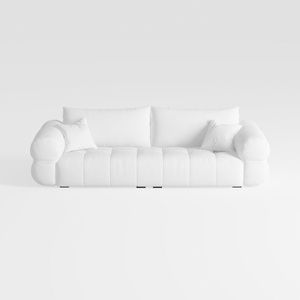
Minimalist White Fabric Tufted Three Seater Sofa 3D Model


Modern Luxury Velvet Gold Metal TV Stand Cabinet 3D Model

Contemporary Brass Glass Acrylic Side Table 3D Model
Homestyler offers an easy-to-use online home design tool with stunning 3D renderings, inspiring design projects, and helpful DIY video tutorials. It’s perfect for anyone looking to create and visualize beautiful interior spaces effortlessly.
Diseño ahora GRATIS
































