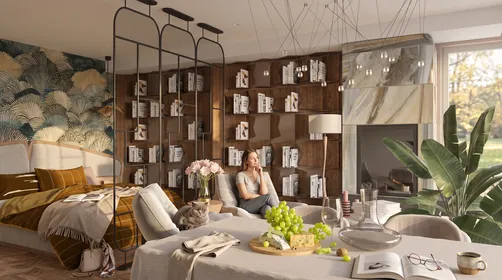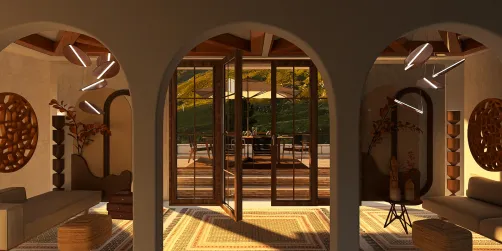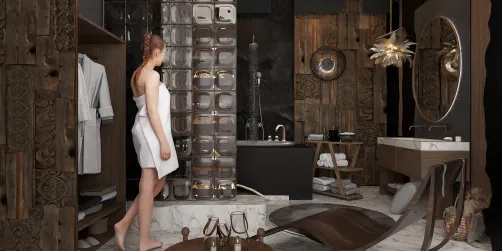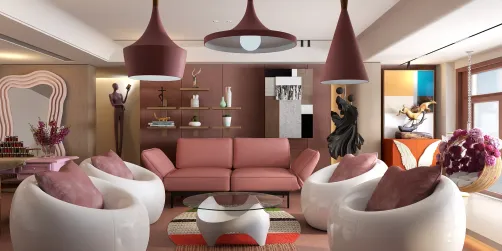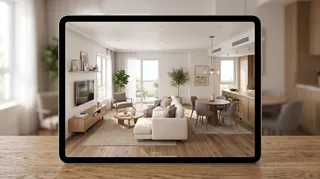
- Measurement method: Can you enter exact dimensions, scan a room, or trace a plan? Treat phone-based scanning as an estimate and verify critical measurements with a tape measure.
- Output: Do you need a 2D plan, a 3D walkthrough, a shopping list, or construction documentation?
- Catalog relevance: A large furniture library is only useful if its dimensions and product availability match your market.
- Device and export limits: Confirm whether the app works on your phone, tablet, or computer and whether exports require a subscription.
- Learning curve: A beginner-friendly interface may be preferable to advanced modeling controls you will rarely use.
The best apps for interior design do more than make a room look attractive on a screen. They help you test dimensions, compare layouts, and decide what to buy before you move furniture or start a renovation. The right choice depends on whether you need quick inspiration, a measured floor plan, realistic 3D views, or professional-level modeling.

How to choose the best apps for interior design
Start with the decision you need the app to support. A mood-board tool is useful for colors and references, but it cannot confirm that a sofa fits through a doorway. A floor planner can test circulation, while a rendering tool helps you judge finishes and lighting. Some apps combine these jobs; others are strongest in one area.
Before committing, check these points:
I usually recommend testing one real room rather than judging an app from its sample projects. Enter the room’s dimensions, place the largest furniture pieces, and see whether the workflow feels clear.
Best apps for interior design: eight tools matched to different jobs
| App | Strongest use | Best fit |
|---|---|---|
| Planner 5D | Room planning and 3D visualization | Homeowners exploring layouts |
| Houzz | Inspiration and product discovery | People collecting ideas and finding pros |
| Room Planner | Quick room furnishing concepts | Casual DIY planning |
| HomeByMe | Furnished 3D home projects | Users comparing complete-room looks |
| Havenly | Guided design services | People who want designer input |
| SketchUp | Flexible 3D modeling | Experienced planners and design learners |
| Homestyler | 2D/3D room experimentation | Visual style and furniture testing |
| RoomSketcher | Measured floor plans | Renovation and property planning |
1. Planner 5D: a balanced home-planning workflow
Planner 5D is designed for creating floor plans and furnishing rooms in 2D and 3D. It suits people who want to move between a practical layout and a more visual presentation without learning a full professional CAD workflow. Its catalog and rendering features can help compare styles, but check which objects, exports, and advanced tools are included in the plan you use.
Choose it when: you want to explore a room layout and see a furnished version before making decisions. For a first pass, measure the room and major openings yourself; a polished render does not guarantee that the underlying dimensions are accurate.
2. Houzz: inspiration, products, and professional discovery
Houzz is most useful as a visual reference library and a way to discover products or local design professionals. Save examples by room, material, or style, then use them to clarify what you like. It is not a substitute for a dimensioned floor plan, so pair inspiration gathering with a separate measuring or planning tool when fit matters.
Choose it when: you are still defining the look of a project or want to research products and professionals.
3. Room Planner: quick furnishing experiments
Room Planner focuses on arranging furniture and trying different room looks. It can be a low-friction way to test broad ideas, especially when you are deciding between a few furniture arrangements. Catalog availability, device support, and paid features can change, so check the current app listing before building a project around a specific capability.
Choose it when: you want a fast visual sketch rather than detailed renovation documentation.
4. HomeByMe: complete-room visualization
HomeByMe supports home layouts and furnished 3D scenes, making it useful for comparing how a room might feel once furniture and finishes are in place. It is better suited to visual planning than to treating a render as a construction drawing. Confirm dimensions and product specifications separately before ordering or building.
Choose it when: you want to assemble a fuller room concept and review it from different viewpoints.
5. Havenly: design guidance rather than a DIY-first tool
Havenly centers on connecting users with interior design services and curated recommendations. That makes it a different category from a pure floor-plan app: the value is guidance and a more personalized design process, not simply drawing walls yourself. Service availability, pricing, and deliverables depend on the current offering and location.
Choose it when: you want help shaping a design direction and are open to working with a professional.
6. SketchUp: flexible modeling with a steeper learning curve
SketchUp is a general-purpose 3D modeling tool used across architecture, interiors, and other design fields. Its flexibility can support detailed custom models, but beginners may need time to learn the modeling workflow. It is often more than necessary for choosing a paint color or testing a basic sofa arrangement.
Choose it when: you need custom geometry, detailed spatial studies, or a skill that can extend beyond one room project.
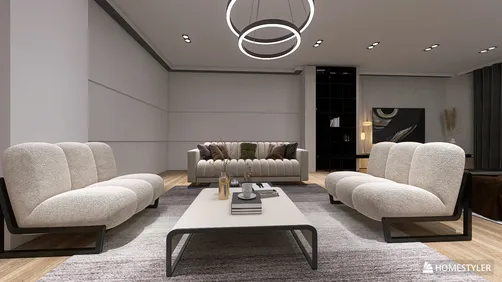
7. Homestyler: visual room design and style testing
Homestyler combines room planning with 3D visualization and a furniture-and-decor catalog. You can use it to test arrangements and compare finishes in a visual context. Catalog items and advanced features may vary by platform or plan, so verify current access before relying on a particular asset or export.
Choose it when: you want to experiment with room styles and see furniture in a rendered setting. If you need to check whether a layout works, build the room to measured dimensions rather than relying on a photo-based impression. Explore Homestyler for a visual planning workflow.
8. RoomSketcher: floor plans and measured layouts
RoomSketcher is oriented toward creating floor plans and presenting spaces in 2D and 3D. It can be a practical choice for renovation planning or property layouts where room shape and furniture placement matter. Check device compatibility and the current feature tiers, particularly if you need exports or advanced presentation options.
Choose it when: a clear plan is more important than a large inspiration feed. Homestyler can complement a measured plan when you want to explore the visual side of a room.


Match the app to your project stage
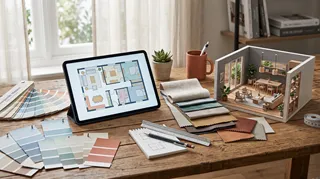
A useful workflow often involves more than one tool, but avoid duplicating work. Use an inspiration platform to collect references, then move to a planner once you know the room’s constraints. If you are changing walls, plumbing, or electrical systems, app visuals are not a replacement for qualified design and construction advice.
- Early inspiration: Save reference images and note recurring colors, materials, and shapes.
- Layout testing: Enter room dimensions, doors, windows, and fixed elements before adding decor.
- Furniture selection: Compare actual product dimensions with the available footprint, including clearance for drawers and walkways.
- Renovation communication: Export or share a plan, then have measurements and technical requirements checked by the relevant professional.
- Final styling: Use 3D views to compare combinations, but remember that screen color and lighting can differ from the finished room.
In my experience, the most common planning mistake is choosing an app for its photorealistic output before checking whether it supports the measurements the project needs. A beautiful image can hide a circulation problem. I recommend placing the largest items first, then checking doors, windows, and walking routes before spending time on accessories.
A practical comparison: what each app can and cannot answer
| Question | Best tool type | What to verify outside the app |
|---|---|---|
| What style do I like? | Inspiration library or visual design app | Whether the products are available locally |
| Will this sofa fit? | Dimension-based room planner | Actual sofa width, depth, and delivery path |
| How might these finishes look together? | 3D visualization app | Real samples under the room’s lighting |
| Can I document a renovation layout? | Floor-plan or modeling software | Building requirements and professional measurements |
| Do I want expert direction? | Design-service platform | Scope, fees, revisions, and deliverables |
No app can remove the need to verify real-world conditions. Wall irregularities, trim, radiators, outlets, and door swings can all affect a layout. For a more complete visual test, try Homestyler after recording those constraints, and keep the measured plan as the source of truth.
A simple selection checklist
Use this short process to narrow the options:
- Write down the decision you need to make: layout, style, product choice, or professional coordination.
- Measure the room and note fixed features before opening the app.
- Test the free version or trial with one actual room, not a sample template alone.
- Check whether the app can save, export, or share the result in the format you need.
- Compare subscription costs with the project’s duration and the features you will actually use.
- Verify critical dimensions and product details independently before purchasing.
My advice is to choose the simplest app that answers the project’s real question. A homeowner refreshing one bedroom may need a straightforward room planner; someone documenting a multi-room renovation may need more precise floor-plan tools or professional software.
Frequently asked questions
What is the best app for interior design beginners?
There is no single best choice for every beginner. Look for a clear interface, easy room setup, and a way to test furniture placement without requiring advanced modeling skills. Try a real room before paying, and confirm that the app supports your device.
Can an interior design app measure a room accurately?
Some apps offer camera-based or augmented-reality measurement, but results depend on the device, lighting, surfaces, and scanning technique. Use those features for an initial estimate, then verify important dimensions manually—especially before ordering furniture or planning construction.
Are free interior design apps enough?
A free tier may be enough for basic layout experiments and inspiration. Paid plans commonly gate some combination of catalogs, renders, exports, or project capacity. Review the current plan details and test the exact workflow you need before subscribing.
Which app is best for 3D room design?
Choose based on the balance you need between ease of use, catalog depth, and control over the model. Apps such as Planner 5D, HomeByMe, and Homestyler are oriented toward visual room planning, while SketchUp offers broader modeling flexibility with a steeper learning curve.
Should I use one app or several?
One app may cover a small decorating project. For a larger project, it can be sensible to use one tool for inspiration and another for measured planning. Keep dimensions consistent and avoid treating separate visual mockups as verified construction documents.
The bottom line
Built on technology originally developed at Autodesk, Homestyler empowers anyone to design beautiful, realistic spaces in minutes. Join over 20+ million registered users (platform data, 2026) who have already discovered a smarter way to plan, visualize, and bring their dream homes to life — all from the comfort of a browser.
The best apps for interior design are the ones that fit the decision in front of you. Use inspiration tools to define a direction, measured planners to test fit, and 3D apps to compare visual options. Before you buy, renovate, or hire, verify dimensions, product details, and technical requirements outside the render. That small check can save more time than switching between a dozen apps.
Diseño ahora GRATIS