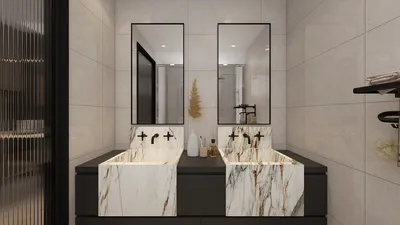


I've transformed numerous small spaces into vibrant, low-maintenance gaming zones that encourage play, concentration, and social interaction. Smaller rooms often inspire superior design: more compact layouts, clever storage solutions, and tactile materials that influence behavior. The result is a space that's perfect for card game nights, console marathons, quick workout challenges, and board games—yet feels spacious and inviting.
My design philosophy is shaped by two key insights. First, Steelcase's research indicates that teams able to rapidly adapt their environments experience increased engagement and quicker task transitions, which is crucial for home game rooms that require swift adjustments for different activities, such as board games and virtual reality. Second, according to WELL v2 guidelines, managing glare and ensuring appropriate light levels are fundamental to user comfort; for gaming environments, I aim for lighting around 200–300 lux for casual play and ramp up to 300–500 lux for detailed tabletop activities while keeping contrast in check. For further reading on adaptability and wellbeing, Steelcase’s research library and WELL v2 principles are excellent resources.
Design the Essentials: Areas, Flow, and Size
An efficient game room benefits from three overlapping zones: a tabletop area, a digital space, and a movement section. I prefer a foldable table measuring 90–120 cm for board games, ensuring at least a 75–90 cm pathway around seating, and positioning screens at a viewing distance of 1.2–1.6 times the diagonal to minimize eye strain. If you're looking to experiment with furniture placements before purchasing, utilizing an interior layout planner like Homestyler can help you quickly visualize seat-to-screen ratios and flow.
Lighting That Enhances Gaming
Light serves as an essential performance tool. For card games and strategy sessions, I target ambient lighting of 300–500 lux with a warm-neutral color temperature of 2700–3500K to ensure visual comfort and color clarity. Task lighting should be installed at a 35–45° angle relative to the tabletop to reduce glare and shadows. For gaming with consoles or projections, I lower ambient lighting to 150–250 lux, incorporate bias lighting behind the screen, and avoid glossy surfaces to manage peak brightness. I adhere to IES standards for balancing task lighting and ambient illumination while controlling reflections, and I also add dimmer switches to allow rapid transitions between different setups.
Understanding Color Psychology for Atmosphere
Color plays a vital role in setting the mood. Softer blue tones and muted greens encourage calmness during strategy discussions, while warm neutrals and subtle terracotta shades foster a sociable environment. Pops of vibrant red or electric blue can energize quick challenges. As a general principle, it's best to use vibrant colors as accents rather than background hues. Desaturated wall colors paired with colorful accessories allow for easier mood adjustments without repainting. Subtle behavioral cues indicate that cooler color schemes can enhance focus, while warmer tones promote faster, more interactive gameplay.
Efficient Furniture That Maximizes Space
Multifunctional furniture is key in smaller rooms. A drop-leaf table can switch from a console sideboard to a gaming surface. Stackable stools can be stored vertically and used as side tables. A low credenza conceals controllers and cables, while its top can hold a portable projector. Ensure seating depth is around 45–50 cm for proper posture during tabletop games, and consider one lounge chair for relaxation breaks. When choosing materials, opt for high-pressure laminate or durable melamine for tabletops (easy to clean and scratch-resistant) and performance fabrics that withstand snacks, spills, and frequent use.
Organized Storage and Cable Management for Quick Resets
A speedy reset is essential for an effective small game room. Use shallow drawers (8–10 cm internal height) with labeled dividers for organizing dice, cards, miniatures, and controllers. Install a simple peg rail for headphones and VR accessories, and route cables through grommets fixed along furniture legs using Velcro ties. Maintain a designated “game-in-progress” tray that can slide into a cubby to allow breaks without losing the game state. Maintaining a clean visual is easier when there’s no visible cable entanglement, helping the surfaces stay tidy in seconds.
Acoustic Comfort Without Heavy Panels
Sound quality can significantly impact the atmosphere. I aim for a balanced reverberation time of around 0.4–0.6 seconds in small spaces for clarity without dullness. Achieve this by incorporating dense area rugs, upholstered ottomans, bookshelves (for broad diffusion), and soft window treatments. Position speakers away from corners to prevent overwhelming bass; decouple subwoofers using rubber feet. If neighbors are nearby, install weather stripping on the door and use a thick curtain behind it to minimize sound transmission while maintaining a sleek profile.
Design for Movement and Quick Fitness Activities
Gaming often involves more than just sitting down. A 1.5 x 1.5 m open area accommodates VR experiences or quick fitness challenges. Utilize wall-mounted foldable bars or flat-storing resistance bands. Position low storage at the periphery to prevent head-level hazards. Ensure intuitive traffic patterns: straightforward routes to exits and snacks, and a flowing design around the main table to avoid collisions.
Upgrading Analog Games
To heighten the tactile experience in board games, consider incorporating matte sleeves to minimize glare, neutral playmats for improved contrast, and weighted tokens for a satisfying feel. Install a slim rail shelf for easy access to rulebooks and score pads. A magnetic whiteboard can serve for keeping scores and can act as a quick strategy planner. Good ergonomics—keeping forearms parallel to the table, wrists neutral, with chairs around 43–46 cm in height—help reduce fatigue during extended play sessions.
Digital Setup: Displays, Controllers, and Relaxation
Position displays at eye level with the upper third of the screen just below eye height, utilizing bias lighting to manage perceived contrast and minimize eye fatigue. Controllers should be stored in a charging dock within a ventilated cabinet to keep them cool. For lengthy gameplay, use wrist rests and textured grips to alleviate strain; if you frequently work in the same space, a compact keyboard tray that tilts downward can support better ergonomics.
Sustainable, Durable Material Choices
Prioritize low-VOC paints, FSC-certified plywood, and recycled PET acoustic felt in your design. Performance rugs featuring solution-dyed fibers are resistant to spills and easy to maintain. Selecting materials with clear environmental certifications helps reduce off-gassing while promoting healthy indoor air quality for prolonged gaming sessions.
Layout Inspirations for Various Room Types
• Studio nook: Install a wall-mounted fold-down table, a bench with storage beneath, and a shelf for the projector above the entrance. Ensure pathways remain clear at 80–90 cm for safe movement.
• Box room: Create a console media wall opposite a foldable table; stack stools along the shortest wall; and define play and movement zones with small rugs.
• Attic space: Utilize low-profile seating under sloped ceilings; a central rug for VR use; and create storage under eaves; swap pendant lights for wall sconces to avoid head bumps.
For quick simulations of these layouts, an interior layout planner like Homestyler allows easy testing of clearances and sightlines before making any purchases.
Social Interaction and Hosting Flow
Maintain snacks and beverages on a mobile cart that fits neatly under a counter. Designate light scene presets for different times: welcoming, gaming, focusing, and winding down. Background music should remain uniform, minimizing fluctuations in volume across the room to reduce distraction. Clearly defined zones help guests understand the activities taking place and where they may join without needing instructions.
Safety and Accessibility Considerations
Implement non-slip rug pads, rounded table corners, and enclosed power strips to safeguard energetic movement. Labeling storage options with large, high-contrast text enhances usability. Ensure at least one chair has arms to facilitate easy transitions in and out. When utilizing dim lighting, pathway lights or low-level strips can prevent trips during late-night gaming sessions.
Frequently Asked Questions
For board games, maintaining a light level of 300–500 lux with a warm-neutral color temperature is ideal; console setups thrive at 150–250 lux with bias lighting behind the screen to minimize glare. These measurements align with WELL guidelines for comfort and typical IES task lighting standards.
Opt for a foldable central table accompanied by stackable seating, a media wall on the longest side, and a clear movement area of 1.5 x 1.5 m. Ensure circulation maintains around 75–90 cm around seating. Explore different configurations in a room design visualization tool like Homestyler prior to purchasing furniture.
Incorporate a thick rug, fabric window treatments, upholstered seating, and bookshelves to achieve sound diffusion. Aim for a reverberation time of 0.4–0.6 seconds. If transmission issues arise from neighbors, consider weatherstripping the door and using heavy curtains.
Cooler colors like desaturated blues and greens aid in calmness and focus, while warm neutrals and soft terracotta tones enhance social interactions. Reserve bold color accents for smaller accessories to facilitate easy mood adjustments.
Aim for a seat height of about 43–46 cm, keeping forearms parallel to the tabletop, wrists straight, and task lighting at a 35–45° angle to avoid glare. Choose seating with proper back support to prevent slouching.
Utilize grommets and Velcro ties along furniture legs, a ventilated cabinet for console storage, and a multi-port charging station housed within a drawer. Clearly label all cables for easy identification during swaps.
Absolutely. Reserve a 1.5 x 1.5 m clear zone, wall-mount storage solutions for controllers, and minimize overhead fixtures. Soft boundaries, like rugs, can help define foot placement areas.
Select high-pressure laminate or melamine for tables, robust upholstery for seating, solution-dyed rugs for durability, and rubber feet to mitigate vibrations for speakers and subwoofers.
Program dimmer presets, maintain a convenient rolling snack cart, organize labeled trays for board games, and utilize magnetic boards for quick scorekeeping. Clear pathways enhance transitional movement.
Position displays so the top third lies just below eye level, with a viewing distance of 1.2–1.6 times the screen's diagonal measurement. Incorporate diffuse bias lighting behind the display to improve contrast perception and reduce strain on the eyes.
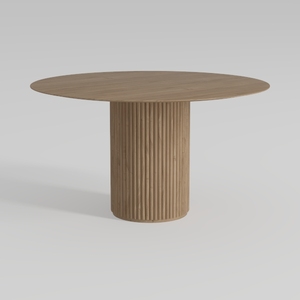
Minimalist Solid Oak Fluted Round Dining Table 3D Model
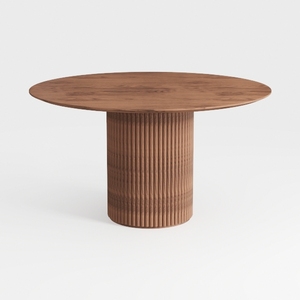
43.3''-59'' Extendable Round Dining Table for 4, M
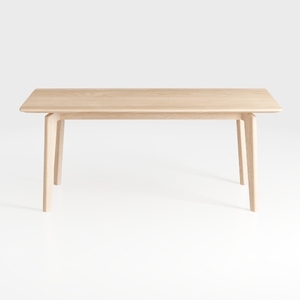
Hymus 100% Solid Oak Wood Desk - Small Writing Des
Discover the ease of home design with Homestyler! This user-friendly platform offers an intuitive online design tool, stunning 3D renderings, and a wealth of design projects and DIY video tutorials. Perfect for both beginners and pros looking to bring their creative visions to life!
Diseño ahora GRATIS
































