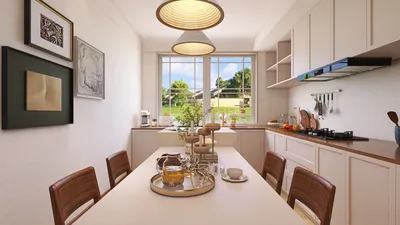
Crafting a 3D representation of your home can be an exhilarating experience that changes the way you envision your living environment. Whether you’re exploring renovation concepts, seeking inspiration for interior decor, or simply wanting to gain a clearer understanding of your property, utilizing 3D modeling software can streamline the entire process. Thanks to technological advancements, the ability to digitally recreate your residence is now more attainable than ever, enabling homeowners and designers to visualize potential alterations in a highly immersive manner.
Grasping the Fundamentals of 3D Design
To embark on the journey of 3D modeling your house, the first step is to get acquainted with the fundamentals of 3D design. Begin by selecting the appropriate 3D modeling software that aligns with your skill level and project requirements. Notable software options include Homestyler, SketchUp, and Blender. Each platform presents distinctive features, from user-friendly interfaces to sophisticated rendering tools, catering to various user competencies from beginners to experts.
Before diving into the design stages, it's essential to outline your objectives. What do you wish to accomplish with this model? Are you aiming for a complete layout overhaul or just exploring various color palettes for your rooms? Clearly identifying your goals will provide a focused direction for your modeling endeavor, resulting in more successful outcomes.
Designing the Floor Plan
After selecting your 3D modeling software, the subsequent step involves creating a floor plan. Start by meticulously measuring the dimensions of each room in your home; this foundational step is crucial for the accuracy of your model. Ensuring that dimensions are precisely entered will enable your design to function cohesively and represent the true scale of your living space.
Most software tools allow you to draft your floor plan by choosing dimensions which translate into walls, doors, and windows. As you develop the layout, consider the flow of your home—how rooms interconnect can drastically impact usability and comfort. Are your primary living spaces open and inviting, or are they designed for privacy? Addressing these fundamental questions will shape your layout choices and elevate your home’s functionality.
Incorporating Details into Your Model
Once you’ve established the basic floor plan, it’s time to enrich your model with the details that bring it to life. You can add furniture, large appliances, and decorative elements. The more intricate the details, the easier it will be to envision the space. Many 3D modeling applications, including Homestyler, come with extensive libraries stocked with various styles of furniture, textures, and landscaping options to help flesh out your design.
As you include these elements, let your creativity flow! Could you turn a small nook into a cozy reading corner? Maybe a thoughtfully crafted combination of colors in your living room can enhance the overall ambiance of the space. Don’t shy away from experimenting with diverse layouts and styles to form a distinctive representation that resonates with your taste!
Rendering Your 3D Creation
After perfecting your 3D model, you can render it for a photorealistic preview of your design. Rendering enables you to perceive how natural light interacts with your space, how colors harmonize, and how the overall layout feels. Although rendering might require some time, it’s a crucial phase that genuinely brings your design vision to life and allows you to visualize the final product accurately.
Moreover, don’t forget to pay attention to outdoor areas. Thoughtful landscaping can enhance your home’s curb appeal and create inviting outdoor living spaces that complement your overall design. Adding elements such as outdoor furniture, gardens, and pathways can enrich your 3D environment.
Sharing and Iterating Your Model
Your 3D model shouldn’t be solely for personal use; you can share it with friends, family, or fellow design enthusiasts. Collect feedback and fresh perspectives on your design! Iterating based on the feedback received can lead to a refined and enjoyable space that better aligns with your vision and lifestyle.
Can you think of innovative ways to incorporate new trends or styles you've encountered recently? Seize this chance to elevate your design by adapting and expanding your vision based on input from your community.
Conclusion
3D modeling your house might initially seem overwhelming, but with the right tools and a clear vision, it can transform into a delightful and fulfilling experience. Remember to take your time, actively engage with the community for support, and most importantly, enjoy the process of creating a space that is uniquely your own!
FAQ
Q: Which software is ideal for 3D modeling my house? A: The most suitable software hinges on your skill level and needs. Homestyler is excellent for novices due to its intuitive design features, while SketchUp provides more advanced functionalities for seasoned users.
Q: Can I design landscapes in my 3D model? A: Absolutely! Most 3D modeling software enables you to create both interior and exterior spaces, enhancing your overall project and contributing to a cohesive design aesthetic.
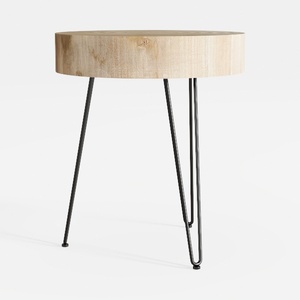
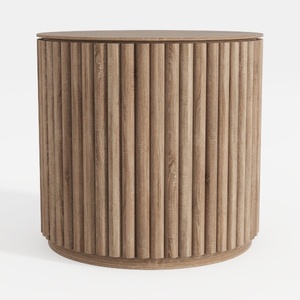
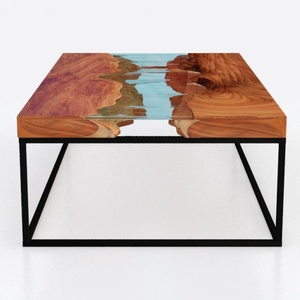
Homestyler is your go-to platform for hassle-free home design! Its user-friendly online design tool and impressive 3D rendering make it simple to visualize your ideas. Plus, with an array of design projects and engaging video tutorials, you'll be inspired to create the perfect space effortlessly.























































