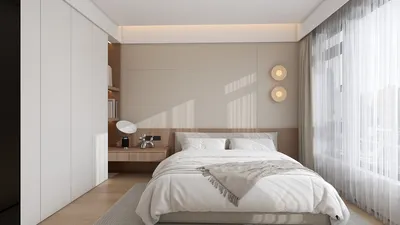
Transforming traditional 2D floor plans into dynamic 3D augmented reality (AR) experiences has the potential to change how individuals envision and engage with their spaces. With the appropriate resources and approaches, it's possible for anyone to design virtual walkthroughs that enable prospective homeowners or planners to explore their creations prior to actualization. This article will delve into the crucial stages for a smooth transition from a 2D blueprint to a 3D AR environment featuring Homestyler.
Grasping the Fundamentals of 2D and 3D Design
Before proceeding with the conversion, it is vital to comprehend the distinctions between 2D and 3D design. Two-dimensional floor plans are flat images representing a space, often viewed from a bird's eye perspective, displaying the arrangement of rooms, walls, and furnishings. Conversely, 3D designs introduce depth and perspective, allowing viewers to appreciate the height, volume, and spatial dynamics of various elements within the area.
When transitioning from 2D plans to a three-dimensional format, take the following factors into account:
Selecting the Ideal Tools for Conversion
Creating a 3D AR experience from a 2D floor plan necessitates the selection of suitable software or applications. Here are some widely-used tools that can assist you in this endeavor, including the innovative Homestyler:
Procedure to Transform 2D Floor Plans into a 3D AR Experience
This is a comprehensive, step-by-step guide for converting your 2D floor plan into an engaging 3D AR experience:
Best Strategies for an Effective AR Experience
To guarantee that your 3D AR experience is impactful and captivating, consider implementing these best strategies:
In Summary
The process of converting 2D floor plans to 3D augmented reality creates a multitude of opportunities for both designers and homeowners. By adhering to the outlined steps and employing the appropriate tools, such as Homestyler, you can craft stunning experiences that vividly bring your design concepts to fruition. Always ensure precision while enhancing visual aesthetics to make certain that your AR model effectively conveys your design ideas.
Frequently Asked Questions
Q: What software can help with converting 2D floor plans into 3D AR? A: Some popular options include SketchUp, Homestyler, and RoomScan Pro, which facilitate smooth conversions and AR integration.
Q: How do I make my 3D model appear more realistic? A: Concentrate on accurate measurements, suitable textures, and effective lighting to increase the realism of your design.
Q: Do I need design experience to convert 2D to 3D? A: While having some familiarity with design software is advantageous, many applications are intuitive and accessible to novices.
Welcome to Utilize Free 3D Floor Planner










































