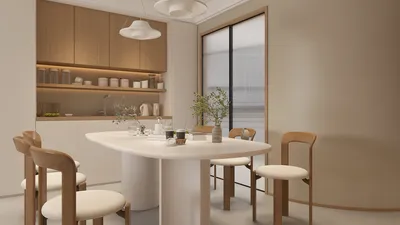
Are you frustrated with flat, two-dimensional floor plans that don't capture the true essence and scale of your spaces? Converting your 2D floor plan into a 3D model can significantly improve your understanding of the layout and allow you to visualize design elements in a more captivating manner. Whether you're a homeowner aiming to renovate your area, an interior designer, or an architect, various tools are available to aid in this process. In this guide, we will walk you through choosing the best software options for transforming 2D floor plans into eye-catching 3D models with the help of platforms like Homestyler.
Understanding 2D to 3D Conversion
The conversion from a 2D floor plan to a 3D model entails crafting a three-dimensional view of the layout that highlights height, depth, and volume. This transformation facilitates a more profound appreciation of spatial dynamics and can assist in planning the arrangement of furniture, lighting, and overall style.
Popular Software Options
Excel at the 3D modeling game with a variety of excellent software, starting with SketchUp, known for its user-friendly interface and robust modeling capabilities. You can import 2D designs and effortlessly extrude them into three-dimensional structures. Plus, it comes with a vast library of pre-made furniture and fixtures to help bring your visualizations to life.
AutoCAD remains a top choice among architects and designers due to its advanced 2D drafting and 3D modeling tools. Users can produce detailed floor plans and easily shift to 3D perspectives, making it ideal for intricate projects that require precision.
For a more accessible option, RoomSketcher is perfect for both beginners and seasoned professionals. Its simplicity allows users to create 2D layouts and convert them to 3D models swiftly. The drag-and-drop feature makes adding furniture and decor elements a breeze, enhancing your ability to visualize the finalized space effectively.
Choosing the Right Software
When determining the most suitable software for converting your 2D floor plans to 3D models, consider essential factors such as ease of use, available features, and the specific needs of your project.
Tips for Effective 3D Visualization
Maximizing your 3D model's potential involves a few strategic tips to consider during the creation process.
Conclusion
Transitioning your 2D floor plan into a 3D model can dramatically enhance your design journey and visualization proficiency. By selecting the right software, such as Homestyler, and employing effective visualization strategies, you can produce impressive renditions of your space that truly bring your creative visions to fruition.
FAQ
Q: What is the most effective software for converting a 2D floor plan to 3D? A: Leading options include SketchUp, AutoCAD, and RoomSketcher, tailored to your specific needs and expertise level.
Q: Are there free options available for creating 3D models? A: Absolutely, some tools like RoomSketcher provide free versions with essential features for 3D modeling.
Q: Is learning 3D modeling software a complicated process? A: Many software solutions prioritize user-friendliness and offer tutorials to help you quickly learn the ropes.
Welcome to Your No.1 2D Floor Planner










































