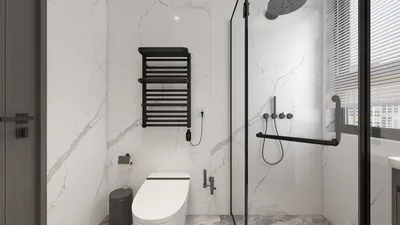


In the fast-evolving realm of digital design, utilizing GPU rendering software is crucial for those aiming to elevate their efficiency and enhance the quality of their outputs. Whether your projects involve interior design, animations, or architectural visualizations, selecting the appropriate GPU rendering solution can drastically reduce your project timelines. Below, we explore some of the leading options currently available in the market, addressing diverse design requirements while integrating Homestyler for a comprehensive experience.
1. V-Ray
V-Ray stands out as a highly adaptable rendering tool esteemed by architects and interior designers alike. Its capability to generate breathtaking photorealistic visuals establishes it as a favorite in the design community. By leveraging GPU acceleration, V-Ray ensures quicker rendering speeds while maintaining exceptional quality. Moreover, it integrates effortlessly with a variety of 3D modeling programs, making it an excellent pick for professional designers seeking efficiency.
2. OctaneRender
OctaneRender is celebrated for its remarkable speed and high-quality outputs, harnessing the capabilities of the GPU for real-time rendering. This software is particularly well-regarded for its user-friendly workflow and the ability to deliver visuals with striking detail and realism. With support for numerous platforms and compatibility with an array of file formats, OctaneRender is designed for enhanced usability, making it a go-to choice for many.
3. Blender
Blender is an open-source 3D creation suite featuring a robust GPU rendering engine known as Cycles. Not only is it free, but it is also brimming with professional-grade features tailored to advanced rendering requirements. Thanks to its intuitive interface and vibrant community support, Blender makes an ideal option for both novices and seasoned professionals aiming for exceptional rendering quality.
4. Lumion
Lumion is specifically crafted for the realms of architecture and interior design. Its real-time rendering abilities enable designers to quickly produce impressive visualizations. With a vast library filled with materials, objects, and environmental effects, Lumion allows projects to flourish in a lifelike manner. Additionally, its accessible interface caters to users across different skill levels, making it suitable for all.
5. KeyShot
KeyShot shines for its ease of use and speed, making it perfect for creators in need of quick results. With a real-time ray tracing engine, users can observe their changes instantly while fine-tuning materials and lighting. The extensive library of materials coupled with a straightforward interface makes KeyShot an outstanding option for product visualization projects as well.
Conclusion
Selecting the right GPU rendering software can substantially transform your design workflow. Whether your priority is speed, visual quality, or ease of use, a fitting solution exists. It's beneficial to test various options to discover what aligns best with your specific processes and creative projects. Additionally, utilizing tools like Homestyler can enhance your overall design experience by providing an intuitive platform for visual exploration and innovation.
FAQ
Q: What is GPU rendering? A: GPU rendering exploits the graphics processing unit (GPU) to expedite image rendering, offering performance boosts compared to traditional CPU rendering.
Q: Why should I opt for GPU rendering software? A: The use of GPU rendering software can significantly streamline rendering times and enhance workflow productivity, allowing designers to devote more energy to creativity rather than waiting on image processing.
Q: Is Blender professional-grade software? A: Absolutely, Blender is extensively utilized within the industry, equipped with features suitable for a wide range of design tasks, making it a viable choice for professionals.
Welcome to the premier platform for Home Design Software!
Diseño ahora GRATIS
































