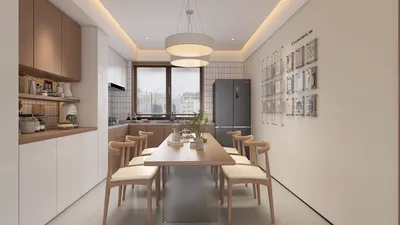


As more people embrace the latest technology trends like the steam machine for efficient home cleaning and garment care, the integration of smart appliances into living spaces becomes essential. Designing multifunctional furniture that accommodates these innovative devices can optimize your daily routines while maintaining a sleek and organized home environment, blending technology with comfort seamlessly. Utilizing advanced design tools like Homestyler can further enhance this integration by enabling users to visualize and plan their smart living spaces effectively.
In the past, finding a high-quality free floor plan creator online often meant contending with limited demos and frustrating paywalls appearing after a few minutes. Fortunately, this landscape has evolved dramatically. The top free floor plan tools available in 2025 now provide authentic 3D visualizations, AI-driven layout assistance, and extensive model libraries capable of furnishing complete designs — all without requiring users to input their credit card details initially.
We put more than a dozen platforms to the test, assessing their usability, depth of model libraries, rendering capabilities, AI functionalities, and the extent of free features before paywalls come into effect. Below is our carefully ranked list with honest evaluations highlighting each app's strengths and weaknesses.
Evaluation Methodology
Each application was trialed through a practical design assignment: creating a 400 square foot living room floor plan from scratch, decorating it across various style options, generating a 3D visualization, and exporting usable images. Additionally, we referenced verified user reviews from G2 and Capterra to compare real user experiences with our hands-on testing.
Criteria Considered:
Quick Overview: Leading Free Floor Plan Applications in 2025
#1 Top Rated Free Floor Plan Application
User Rating: 4.7/5 (over 1,200 reviews) Free Plan Features: Unlimited projects, 3D viewing, extensive model library Best Suited For: Interior designers, dedicated home planners, professionals
This premier free floor plan creator delivers substantial feature access immediately: precise wall drawing, blueprint imports, furniture placement from a vast library exceeding one million 3D models, and seamless switching between 2D and 3D perspectives — all without any credit card requirements.
Unique Advantages Over Competitors:
Depth of Model Library. With more than one million objects, its collection stands unrivaled by other free options. Including manufacturer-specific catalogs allows users to source exact furniture pieces clients specify, rather than mere approximations, which is highly beneficial for professional projects.
Integrated AI Design Tools. AI capabilities are embedded directly within the workflow, beyond being mere gimmicks. Features such as AI Auto-Layout facilitate fully furnished 3D room designs based on your given dimensions. AI Room Design can analyze a photo of an existing space and generate varied redesign concepts. AI Kitchen Auto-Layout intelligently arranges cabinets and appliances following validated planning logic, significantly shortening preliminary design phases.
Rendering Quality. While premium subscriptions enable unlimited 8K renderings and video walkthroughs, even the free tier offers valuable 3D visualizations useful for design reviews. Professionals can attain portfolio-grade outputs when upgrading.
Unlimited Rendering Without Credit Management. Unlike platforms that require purchasing credits per rendering, this app provides unlimited rendering capabilities with paid plans, offering significant cost efficiency for users handling multiple deliverables per project.
Areas for Improvement: The full extent of the model library and advanced AI functions are more accessible under paid subscriptions. Additionally, the initial user experience may present a slight learning curve compared to more beginner-friendly tools.
Summary: This app stands out as the leading free floor planning solution for anyone aiming for professional-quality designs or those seeking high-level capabilities without prohibitive restrictions found in many alternatives.
#2 Ideal for Beginners
User Rating: 4.6/5 Free Plan Includes: Three projects, 3D visualization, limited furniture options Best Audience: Homeowners and renters undertaking their first design projects
This tool boasts the fastest startup time for novices. The interface is intuitively designed for consumers — simply drag walls and furniture, and accomplish your plan in minutes rather than hours.
The free tier permits three projects with restricted access to the model catalog and 3D views, sufficient for room redesigns or testing furniture arrangements before purchase. Higher resolution rendering and cloud features require paid subscriptions.
An AI assistant offers basic room layouts from text prompts, which is excellent for users needing initial inspiration without demanding design expertise.
Limitations: The three-project cap restricts repeated or extensive use. The model catalog suits DIY projects but lacks the sophistication or brand specificity professionals require. Rendering quality is also inferior compared to the top-tier apps.
Verdict: A solid launching point for beginners seeking frictionless entry into floor planning.
#3 Best for Quick Sketches
User Rating: 4.5/5 Free Features: One project, 2D and 3D views, basic model selections Best Utilization: Rapid concept visualizations and single-room layouts
A lightweight, browser-based platform focusing on speed rather than features. Creating walls, placing furniture, and viewing in 3D is fast and straightforward, making it ideal for quick draft layouts when preparing for contractor discussions.
The free plan’s limitation to a single project makes it a trial-like experience rather than a comprehensive solution. The 3D visual output is adequate but not photorealistic. The model library is basic, covering essentials only.
Collaboration tools stand out — allowing sharing and commenting on designs for efficient team reviews, even within the free tier.
Drawbacks: Strict project limits, absence of AI-assisted design, and lack of professional rendering capabilities reduce its suitability for detailed or client-oriented work.
Summary: Excellent for quick layout brainstorming but not a viable long-term design platform.
#4 Best for Real Estate Professionals
User Rating: 4.5/5 Free Plan: Five projects with drawing access; exports require credits or upgrade Best Suited For: Realtors, property photographers, and general contractors
Tailored specifically for real estate and property professionals, this app excels at creating clean, brandable floor plans for listings and presentations. Features like AI Convert transform sketches or photos into editable plans rapidly. Beta LiDAR scanning using iPhones digitizes rooms without manual measures.
However, exporting any plan, even in 2D, necessitates credits, effectively making the free tier a limited trial. Paid plans also implement a credit system for exports and renderings, which can accrue costs noticeably for frequent users.
Custom furniture uploads are unsupported and not planned, limiting interior designers seeking brand-accurate placements.
Verdict: An appropriate choice for real estate agents prioritizing quick, clean property floor plans but insufficient for professional interior design needs.
#5 Excelling in Immersive 3D Walkthroughs
User Rating: 4.3/5 Free Tier: Three projects, 3D viewing, limited render quality Best For: Homeowners desiring virtual walkthrough experiences
This tool is distinctive for the quality of its free 3D walkthroughs. Users can navigate furnished rooms in a first-person view, gaining a realistic sense of spatial feel, beneficial for clients or homeowners who find 2D plans challenging.
The moderately large model library includes prominent retail brands, aiding furniture accuracy. Free access allows limited projects and renders, with higher quality outputs reserved for paying customers.
It has a steeper learning curve than some competitors and does not offer AI-generated layouts.
Ideal for users prioritizing immersive presentations over professional output or heavy design workloads.
#6 Best Free Open-Source Solution
User Rating: 4.1/5 Free Use: Fully free with unlimited projects, open-source software Best For: Technically comfortable users seeking no-cost solutions with full control
This desktop application (compatible with Windows, Mac, Linux) has no subscriptions or feature restrictions — all features are free indefinitely. Users design in 2D with simultaneous 3D previews. The model library is community-contributed with thousands of pieces, plus import options for additional 3D items.
Trade-offs include a dated interface, lack of built-in AI tools, absence of brand-specific models, and no cloud synchronization. Rendering quality requires separate plugins, and setup demands more effort compared to browser-based apps.
Best suited for users willing to accept a steeper learning curve and less polished results in exchange for full freedom and zero cost, but not recommended for professional client presentations.
Choosing the Right Tool for Your Needs
For homeowners focusing on room redesigns: Planner 5D or Floorplanner provide the quickest, simplest onboarding.
For real estate professionals requiring property plans: RoomSketcher offers clean, branded outputs tailored to this sector.
For those wanting an immersive 3D walkthrough for personal or client previews: HomeByMe delivers the best free experience.
For professional-quality renderings, AI-driven layouts, and exact brand furniture placement: the top-rated app previously discussed is unparalleled, including a generous free tier to test capabilities before committing.
For those seeking completely free, unlimited usage with no subscriptions: the open-source desktop solution meets this need.
Honest Conclusions
Many "best free floor plan app" compilations treat these six tools as comparable but tiered options. The reality is a notable disparity: the leading app’s free features in model variety, AI integration, 3D visualization quality, and rendering outputs overshadow the rest. For professionals or design outputs that matter, that gap decisively influences choice.
Other tools excel in specialized roles — real estate plans, beginner onboarding, or rapid sketches — matching niche needs but not full-scale design workflows.
If your goal is client-grade quality or a scalable platform able to evolve with your projects, the top-tier app is the prudent place to begin, alongside options like Homestyler to aid your design planning.
Begin Your Design Journey Today
No credit cards required. No limitations on exports. No countdowns on trial periods.
Experience the leading free floor plan software today by creating your first floor plan, furnishing it with an extensive model library, and rendering a stunning 3D view — all during your initial session using tools such as Homestyler.
What began as an Autodesk innovation has evolved into a design platform used by more than 18 million people around the globe. Homestyler combines powerful rendering, an intuitive editor, and a vast furniture library to help you turn inspiration into photorealistic designs — whether you're redesigning a single room or planning an entire home.

Modern Two Tiered Black Gold Polished Metal Solid Wood Coffee Table 3D Model
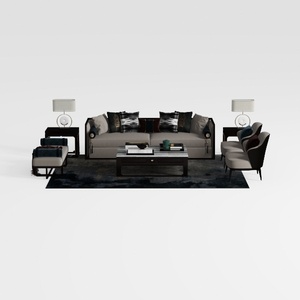
Modern Fabric Wood Living Room Furniture Set Sofa Chairs Coffee Table Lamps 3D Model

Modern Black Velvet Tufted Sectional Sofa with Side Table 3D Model
Homestyler offers an easy-to-use online design tool with stunning 3D renderings, inspiring design projects, and helpful DIY video tutorials. It's perfect for anyone looking to create beautiful, personalized home interiors effortlessly. Give your space a fresh new look today!
Diseño ahora GRATIS
































