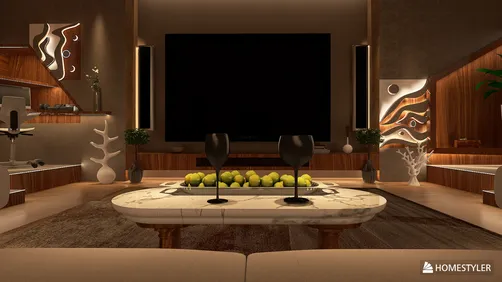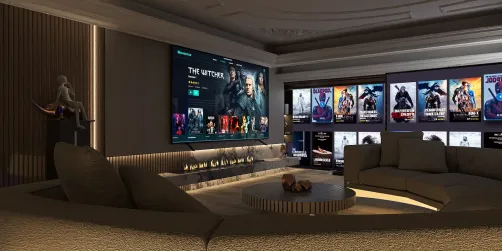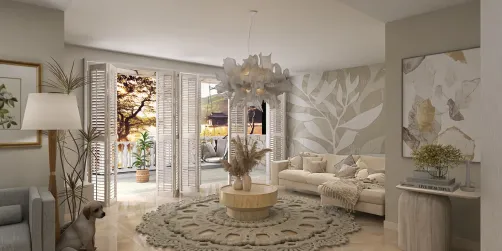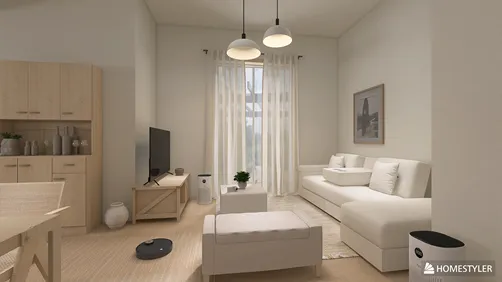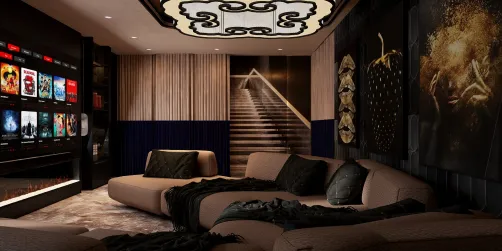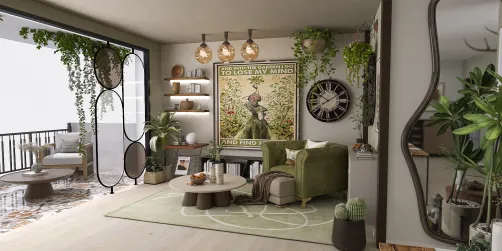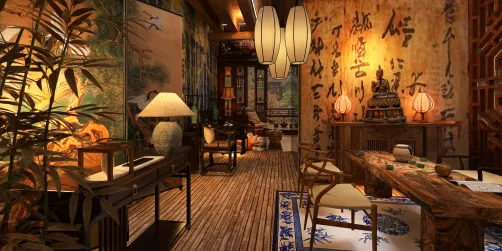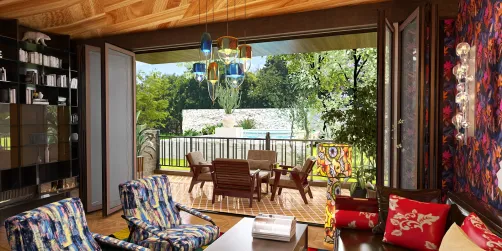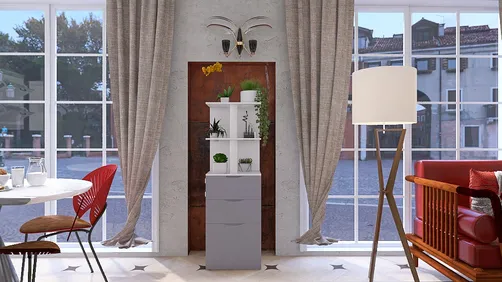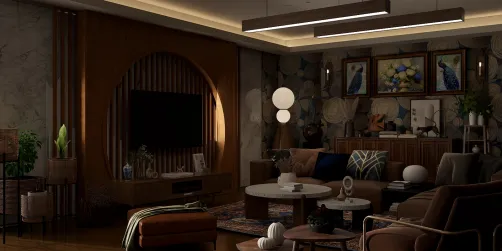
Throughout my experience designing living rooms, I've created numerous TV units that perform their function without dominating the space. The ideal setup features a clean, ergonomic wall that conceals clutter, organizes cables, and presents your screen in a proportionate manner. In open-plan homes, this unit helps direct traffic and arrangement of seating. Research from Gensler indicates that as entertainment areas have merged with home offices, flexible living spaces have become paramount, enhancing comfort and usability (Gensler Research Institute). Additionally, the WELL Building Standard stresses the importance of visual comfort—managing glare, balanced lighting, and adaptable fixtures—as crucial in minimizing eye strain during screen use (WELL v2).
Regarding lighting, the Illuminating Engineering Society recommends that living room illumination should be comfortable enough to avoid direct glare on screens while allowing for task lighting when necessary (IES standards). In practice, I combine gentle backlighting with dimmable sconces to maintain comfortable brightness levels. Color-wise, neutral finishes around the television reduce visual fatigue, while color accents can be introduced through accessories without sacrificing viewing comfort. If you're still contemplating wall placement or circulation, utilizing an interior layout planner, such as the Homestyler tool, can effectively simulate sightlines and seating distances before committing to any installation.
Fundamentals for a Functional TV Unit
- First, consider proportion: The unit's width should correspond with the seating and screen size. Typically, a 55–65" TV pairs well with a console or wall panel measuring 78–96".
- Eye ergonomics: The TV’s center should align with seated eye level, approximately 42–48" above the floor for standard sofas, making adjustments for reclining seating.
- Managing glare: Avoid positioning the TV directly across from windows; instead, utilize sheer curtains or adjustable shades. Incorporating backlighting softens contrast.
- Conceal cables: Design a cable chase within the wall and provide a ventilated niche for streaming devices and routers.
- Limit materials to two or three finishes maximum—opt for one primary surface, an accent (such as wood or texture), and one metal detail for hardware.
Design Concept 1: Floating Veneer Shelf with Hidden Cable Management
A sleek, wall-mounted console in walnut or ash veneer keeps the floor clear, making smaller halls appear larger. I recommend a depth of 10–12" for a streamlined profile that accommodates media devices. A routed channel along the back conceals cables leading to a central grommet, and pairing with a matte-painted panel helps the screen blend seamlessly. Keep hardware minimal with finger pulls or push-latch doors.
Design Concept 2: Low Bench with Framed Panel Wall
For wider hallways, a low bench, standing at 14–16" high, complemented by deep drawers, provides stability for the TV while a framed MDF or acoustic felt panel behind absorbs reflections. This design doubles as extra seating for gatherings and can feature an LED wash behind the panel to minimize eye strain during evening viewing.
Design Concept 3: Niches with Vertical Elements
Incorporate vertical slatted panels to create visual rhythm while concealing storage for remotes and controllers. Alternate between closed bays for cables and routers and open ones for books or decorative items. Adjustable shelf heights ensure your setup adapts to changing technology.
Design Concept 4: Warm Minimalism with Plaster and Oak
In brighter halls, a smooth plaster finish contrasts beautifully with a natural oak ledge, achieving a clean yet warm aesthetic. Specify a matte or eggshell paint near the screen to diminish reflections. The oak should have a micro-chamfered edge for an extra touch of finesse.
Design Concept 5: Space-Saving Corner Unit
When wall space is limited, consider angling a compact corner unit. A triangular or curved-front shelf allows for smooth circulation. Mount the TV on a swivel arm to align with primary seating and reduce glare, while cable management follows the corner stud for a clean finish.
Design Concept 6: Built-in Units with Acoustic Doors
Full-height built-ins provide a calming backdrop. Consider using perforated or fabric-covered doors for speaker compartments to ensure clear sound. Ventilation slots positioned above any heat-generating devices are crucial. Centrally align the screen, ensuring equal negative space on both sides for aesthetic balance.
Design Concept 7: Monochrome Matte with Metallic Highlights
A matte graphite cabinet with a subtle brushed brass inlay exudes sophistication without drawing too much attention. Limit open shelves to a single section, while the rest can be concealed, maintaining focus on the screen.
Design Concept 8: Light Scandinavian Aesthetic
Materials such as whitewashed oak, soft white laminate, and linen-textured doors create a bright, airy environment. Implement soft-close hinges and integrated pulls, ensuring that a single pastel accent, like a powder-blue vase, adds character without overwhelming the serene palette.
Design Concept 9: Family-Friendly Design that Resists Fingerprints
Opt for high-pressure laminate doors in mid-tone shades that effectively conceal smudges, complemented by a robust quartz or compact laminate top. Rounded corners on benches and handles are ideal for child safety. A lidded tech box with a mesh panel facilitates IR signal transmission and airflow.
Design Concept 10: Simple Media Ledge with Art Display
For minimalist spaces, a 6–8" deep ledge beneath a wall-mounted TV offers room for remotes and a few books. Above it, a picture rail allows for the display of artwork, balancing the visual weight of the television screen. Keep a uniform reveal along the bottom to unify all elements.
Color and Material Strategy
Stick to neutral foundations—warm whites, greige, natural wood—to reduce contrast with the screen. Research into color psychology suggests that saturated reds can heighten arousal levels; thus, minimize intense colors near the display for relaxed viewing (Verywell Mind on color psychology). Color can be introduced via textiles and art instead of the TV wall itself. For longevity, consider using a 0.6–1 mm wood veneer on ply or MDF, paired with high-pressure laminate in high-touch areas. For those concerned with sustainability, opt for FSC-certified materials and low-VOC finishes.
Lighting for Comfortable Viewing
- Ambient: A ceiling wash or cove lighting, equipped with dimmable options, ensures a soft base layer of illumination.
- Accent: Wall grazers that avoid direct line-of-sight to the lamp diminish glare while highlighting texture on surfaces.
- Backlighting: Incorporating a backlit panel or LED strip behind the TV helps to reduce contrast and visual fatigue.
- Task: A reading lamp positioned by the sofa, equipped with a shielded shade, enables one patron to read while another enjoys TV.
Ergonomics and Optimal Viewing Distance
For standard 55–65" screens, placing seating about 7–9 feet away provides comfort for various viewing experiences. The mount height should depend on the back height of the sofa and your seating posture; the center of the screen should rest at or slightly below eye level to minimize neck strain. To confirm placement, mock it up with painter's tape and sit through a full episode before making any fixtures permanent.
Tech Preparation and Cable Management
Establish a dedicated power and AV outlet cluster behind the TV set. Include a conduit to accommodate future HDMI and optical upgrades. Make sure to provide ventilation for enclosed tech areas—aim for a 1–2" clearance at the back and underneath, along with discreet perforations. A charging drawer fitted with a surge-protected strip can keep devices organized.
Limited Spaces? Smart Saving Solutions
- Elevate the cabinet off the floor, creating an illusion of space.
- Minimize open shelving; doors help reduce visual clutter.
- Select a depth of 10–12"; adequate for gear while maintaining clear circulation.
- Color-match cables to the wall to obscure them.
- Use a mirror on an adjacent wall to enhance light without creating reflections, rather than placing it directly across from the TV.
Layout Considerations
Before making final layout decisions, identify primary sightlines, door swings, and conversational areas. Experiment with the arrangement of sofas in relation to windows and the TV. If you’re assessing multiple configurations, consider using a layout simulation tool such as the Homestyler platform to easily validate distances and glare.
Ensuring Maintenance and Durability
Opt for easy-to-clean, matte finishes around the television; gloss finishes can reflect unattractive light and fingerprints. Utilize clip-on cable labels and keep a log of connections. Every six months, dust any vents and examine LED dimming curves to avoid flickering at low settings.
Frequently Asked Questions
Q1: What height is ideal for mounting a TV in a hallway?
A1: Position the TV's center around seated eye height—approximately 42–48" from the floor—taking into account the height and recline of sofas. Tape the outline and observe the comfort level.
Q2: How can I minimize glare on my TV?
A2: Avoid placing the TV directly opposite windows, use sheer curtains, select matte wall finishes, and include soft backlighting to decrease contrast. IES guidelines advocate for layered lighting to enhance visual comfort.
Q3: Which materials are recommended for a straightforward TV unit?
A3: Wood veneer for a warm touch, high-pressure laminate for durability, and matte paint or plaster panels to reduce reflections. Stick to two to three finishes for a serene appearance.
Q4: What’s a suitable viewing distance?
A4: For 55–65" screens, sitting about 7–9 feet away is comfortable for versatile viewing needs. If the screen's dimensions are larger or if you seek immediate detail, position yourself closer within your comfort range.
Q5: How can I keep cables hidden?
A5: Design a recessed power and AV outlet, run cables through a conduit behind the panel, use color-matched cable sleeves, and incorporate a ventilated cabinet for devices.
Q6: Can a floating TV unit offer enough storage?
A6: Absolutely—implement a 10–12" depth with full-extension drawers. Wall cleats and suitable anchors ensure a balanced load distribution, keeping heavier objects close to the mounting points.
Q7: What type of lighting should I consider around the TV?
A7: Consider dimmable ambient lighting (such as cove or ceiling wash), accent wall grazers, and a soft backlight behind the television. Be sure to avoid visible bulbs within the sightline to prevent reflections.
Q8: How can I integrate speakers without creating clutter?
A8: Utilize fabric-wrapped or perforated doors for speaker bays, hide subwoofers in well-ventilated niches, and route speaker cables through concealed conduits.
Q9: Which colors are most appropriate near the TV?
A9: Stick with neutral and low-chroma tones to alleviate visual fatigue. Reserve vibrant colors for accessories to maintain a tranquil ambiance, consistent with color psychology findings that emphasize calmer responses to subtle hues.
Q10: Is open shelving problematic next to the TV?
A10: Moderation is fine. Excessive open shelving can produce visual clutter and distraction. Keep it limited to one open section while concealing the rest behind doors.
Q11: How should I prepare for future technological changes?
A11: Plan for accessibility with conduits, additional power outlets, and adjustable shelving. Modular back panels allow for rerouting without needing to alter walls significantly.
Q12: What precautions should I take for homes with children?
A12: Incorporate rounded edges, anti-tip wall anchors, soft-close hardware, manage cords behind doors, and choose durable, smudge-resistant finishes.


Looking to transform your space? Homestyler is your go-to online home design platform! With an easy-to-use design tool, stunning 3D renderings, a wealth of design projects, and helpful DIY video tutorials, you can effortlessly bring your interior ideas to life. Start designing today!