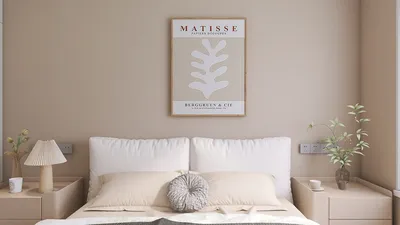


Understanding your indoor temperature is crucial for comfort, productivity, and energy efficiency. Whether you're orchestrating tasks from home, overseeing a studio, or managing a vacation property, leveraging smart sensors and building dashboards allows for online temperature monitoring. It's important to note that temperature isn't merely a figure—it plays a critical role in achieving thermal comfort, boosting cognitive functions, and influencing HVAC strategies. Utilizing tools like Homestyler can further enhance this understanding of your space.
The relationship between temperature and established comfort norms cannot be overlooked. The WELL v2 Thermal Comfort feature outlines operational temperature ranges generally between 20–25°C (68–77°F), contingent on the activity performed and clothing worn, while also considering humidity and air circulation to sustain a comfortable environment. Research from Steelcase has established direct links between environmental aspects—thermal, acoustic, and lighting—and cognitive performance; maintaining optimal temperatures can significantly diminish distractions and fatigue. The Illuminating Engineering Society (IES) standards stress minimizing heat gain from light fixtures in confined areas, thus ensuring consistent indoor temperatures.
My practical approach blends online temperature assessments with ergonomic insights: individuals tend to appreciate having a degree of personal control. By implementing adjustable setpoints and fan speed options, as well as creating micro-zones, teams can remain comfortable without the necessity of raising the temperature throughout the entire building. In larger floor configurations, I accurately map thermal gradients near windows and equipment to strategically place sensors.
How Online Temperature Monitoring Operates
There are three primary methods to check room temperature online:
For verified comfort ranges and best practices, explore the Thermal Comfort features on wellcertified.com and consult IES guidance on luminaire and heat management at ies.org/standards.
Selecting the Appropriate Sensor
When choosing sensors, ensure they measure temperature, relative humidity, and ideally dew point. Aim for accuracy within ±0.2–0.3°C, consistent calibration, and data export capabilities (CSV/API). In environments prone to fluctuations—such as those near kitchenettes or windows—consider deploying multiple sensors to capture temperature variations accurately.
Position sensors away from direct sunlight, heat-producing appliances, and drafty vents. Install them at a height of 1.1–1.5 m (43–59 in) above the ground to obtain representative readings of the occupied space. In larger rooms, place sensors closer to workstations to avoid getting skewed results from temperature variations near windows.
Quick Online Methods Without Sensors
If you haven't yet installed a sensor, you can still approximate indoor temperature through various online resources:
Remember, these methods provide only rough estimates; for decisions that require accurate data, consider adding dedicated sensors.
Design-Focused Comfort: More Than Just a Figure
Thermal comfort is influenced by multiple factors: temperature, humidity, airflow, clothing, and individual metabolic rates. Maintain indoor relative humidity levels between 30–60% to avoid dry air or condensation issues. Gentle airflow (0.1–0.2 m/s) provided by ceiling fans can replicate a 2–3°C cooling effect without necessitating a lowered temperature. For spaces abundant in natural light, recommend low-SHGC glazing and exterior shading to mitigate heat spikes, alongside coordinating light sources that don't emit excessive radiant heat.
Setting Up Remote Monitoring: A Step-by-Step Guide
While designing multi-room layouts, take into account heat sources such as kitchens and server racks, as well as the positioning of south-facing windows, and strategically place sensors as needed. Using tools like Homestyler can visualize these zones and assist in informed sensor placement.
Human Factors and Color Perception
Colors play a pivotal role in thermal perception. Warmer color schemes can create a psychological sense of warmth, while cooler tones evoke feelings of freshness. Insights from Verywell Mind on color psychology suggest that warm hues can enhance coziness; strategically employing these can lessen the inclination to heat a space excessively. Combining this with adjustable task lighting settings between 2700–3500K in lounge areas and 3500–4000K in workspaces can help strike the right balance between comfort and alertness.
The Interaction Between Acoustics and Temperature
The noise generated by HVAC systems can affect comfort levels, even when the temperature is ideal. Oversized diffusers or high fan speeds may introduce distractions. Targeting background noise levels around NC 30–35 in residential workspaces allows for slightly warmer temperatures to feel more acceptable as stress levels decrease.
Material Choices and Sustainability
Using materials with thermal mass—like stone, terrazzo, or heavy masonry—can help smooth out temperature fluctuations. Sustainable insulation and achieving airtightness will lessen the need for intense heating and cooling demands. Opt for low-VOC finishes to prevent unpleasant odors that might be mistaken for stuffiness, and employ window treatments with reflective backing to stabilize temperatures in sun-exposed areas.
Data-Backed Comfort Levels you Can Implement
For sedentary tasks, most individuals find comfort at 21–23°C (70–73°F) with 40–50% relative humidity, assuming standard clothing levels. Allowing for a personal adjustment of ±1–2°C where feasible is beneficial. When humidity exceeds 60%, perceived warmth increases; conversely, below 30%, complaints about dry conditions become more frequent. These benchmarks align with WELL’s recommendations and reflect workplace studies linking environmental management and performance.
Resolving Remote Readings
Integrating Temperature Insights into Layout Design
Temperature data should inform spatial organization. Utilize techniques to keep high-load equipment clear of enclosed areas; ensure return air distribution to prevent stratification; and situate collaborative spaces in thermally stable zones. When remodeling, tools like layout simulation assist in assessing sensor locations and HVAC pathways alongside clusters of workstations:
layout simulation tool
Frequently Asked Questions
Many consumer-grade sensors offer accuracy within ±0.2–0.3°C. It's prudent to consult the spec sheet and check user-calibration settings. Always cross-reference with a trusted reference thermometer during installation.
For stationary tasks, a range of 21–23°C (70–73°F) with 40–50% relative humidity suits the majority, as recommended by WELL's thermal comfort principles and widely recognized workplace standards.
While this serves as a solid baseline, installing sensors near returns or hallways may skew readings. Employ one or two supplemental sensors within the occupied zone for enhanced accuracy.
Elevated humidity can interfere with evaporative cooling, making environments appear warmer; low humidity creates a cooler sensation but may lead to dryness. Maintain relative humidity between 30–60% for optimal comfort and health.
LEDs produce minimal heat when compared to traditional bulbs; however, tightly packed arrays or enclosed fixtures can increase localized temperatures. Adhering to IES guidelines on luminaire thermal management can help avoid hot spots.
Ensure sensors are mounted 1.1–1.5 m (43–59 in) above the ground, shielded from sunlight, diffusers, and heat-generating appliances, to assess representative temperatures in the occupied zone.
Gathering data every 5–10 minutes enables you to observe HVAC cycles and impacts from solar gain without excessive data storage needs. Aggregate this information for daily and weekly patterns to guide your decisions.
Warming color palettes can create a cozier atmosphere, potentially allowing for lower setpoints. Integrating color psychology with proper insulation and daylight management yields genuine savings.
Consider installing a Wi-Fi sensor or utilize your smart thermostat's application. In the absence of these, lookup a nearby weather station for a rough temperature estimate until a dedicated sensor is available.
Create micro-zones with adjustable fans and tailored setpoints. Occupants inclined toward cooler surroundings can position themselves nearer to areas with higher air movement, while those preferring warmth can occupy other zones.
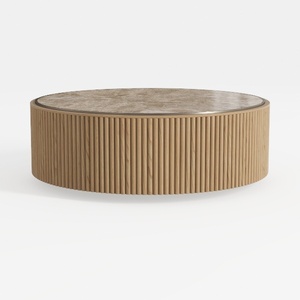
Round Coffee Table with Storage,Fluted Lift Up
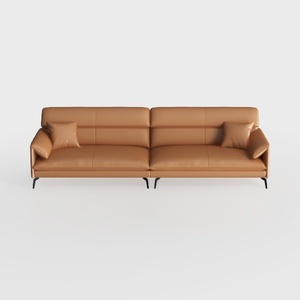
Modern Minimalist Tan Leather Living Room Sofa 3D Model
Homestyler is your go-to online home design platform! Its user-friendly design tool and stunning 3D renderings allow you to visualize your space like never before. With a wealth of inspiring design projects and DIY video tutorials, transforming your home into a dream space is simple and enjoyable!
Diseño ahora GRATIS
































