Crafting floor plans with Homestyler can significantly enhance the workflow of interior designers and architects. Whether you are designing a cozy apartment or an expansive commercial area, Homestyler facilitates effective visualization of your designs. This intuitive platform provides a wide array of tools that assist in drafting precise plans, ensuring optimal use of every square foot of your space. From layouts accommodating multifunctional furniture to incorporating sustainable design features, let's delve into how you can optimize your designs using Homestyler.
Getting Started with Homestyler for Floor Plans
To embark on your floor plan drafting journey, it's vital to get acquainted with the Homestyler interface and its fundamental commands. Begin by configuring your workspace to foster a productive design atmosphere.
Start your project by choosing the appropriate drawing units. For residential projects, architectural units (feet and inches) are generally the ideal selection. This can easily be set in Homestyler's settings for an efficient workflow.
Utilizing layers plays a critical role in organizing your floor plans. Create distinct layers for elements like walls, furniture, electrical systems, and plumbing. This approach helps streamline management and simplifies edits in the future.
Designing Your Floor Plan
Now that your workspace is prepared, it’s time to dive into the design process! Here are several tips for producing both functional and visually appealing floor plans.
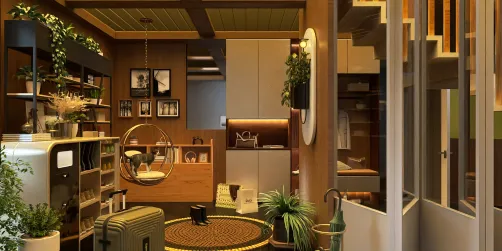
In compact spaces, it’s essential that each piece of furniture fulfills multiple roles. Leverage Homestyler to draft versatile furniture designs like a sofa bed or a coffee table that incorporates storage solutions.
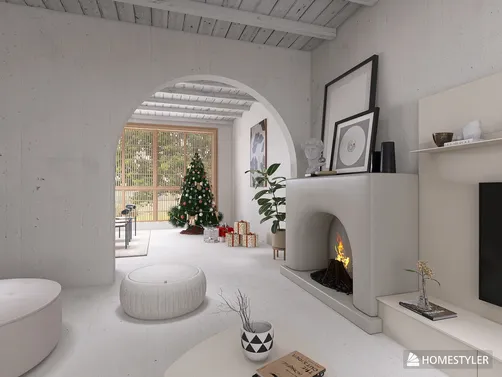
Open-concept layouts can create an illusion of spaciousness and warmth. Strategically use furniture placement and partition walls to create zones without enclosing them. Homestyler excels at visualizing these fluid layouts.
Advanced Features for Enhanced Design
After getting familiar with the basic functionalities, consider exploring some of Homestyler's advanced features that can add greater depth to your designs.
Transitioning from 2D to 3D modeling greatly improves your understanding of spatial relationships within your design. This feature is especially beneficial when presenting your concepts to clients.
Dynamic elements in Homestyler allow you to design adaptable furniture that can adjust in size or shape based on your requirements. This is especially handy in confined spaces where dimensions can be inconsistent.
Finalizing Your Floor Plan
Once you have crafted your floor plan, take the time to finalize and prepare your drawings for presentation or construction purposes.
Be sure to incorporate annotations and dimensions into your design. This clarity helps convey your vision effectively to clients or construction teams.
Finally, save your drawing in a suitable format. Homestyler allows you to export your work as a PDF or image file, making sharing with others a breeze.
FAQ
Q: What is the most effective way to learn Homestyler for floor plans? A: Begin with online tutorials and apply the software regularly to enhance your skills.
Q: Is Homestyler suitable for interior design? A: Absolutely, Homestyler is an excellent choice for interior design, enabling you to create detailed and accurate floor plans.
Q: How can I elevate my floor plans using Homestyler? A: Focus on the effective use of layers, dynamic elements, and 3D modeling to enhance your designs.
welcome to Use No.1 Floor Planner


























![Design [4]](https://hs-designs.homestyler.com/production/design/images/07c2de3a-88ec-4be8-8910-ff255b795bc2/1731419398293/7841697.jpg?x-oss-process=image/resize,w_502,m_mfit/format,webp)