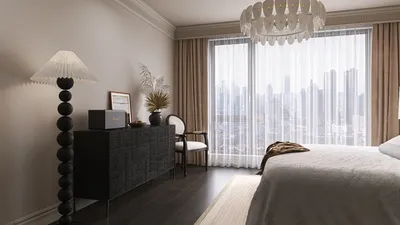


I've designed numerous compact workspaces tailored for clients seeking focus, comfort, and tranquility within areas less than 100 square feet. An efficient home office truly thrives when every detail contributes to its function: lighting that reduces eye strain, furniture that supports good posture, and storage solutions that minimize visual clutter. The WELL v2 Lighting guidelines suggest managing glare while ensuring sufficient task lighting to alleviate visual fatigue. This means providing 300–500 lux of illumination at the workstation for typical tasks like typing and reading, with even brighter settings for intricate work (based on IES recommendations). Steelcase's research also indicates that effective ergonomics and a degree of environmental control link strongly to enhanced productivity, particularly in limited spaces.
The interplay of color and psychology is crucial in small spaces. Verywell Mind provides insights into color psychology, emphasizing that cool shades, such as gentle blues and muted greens, can lower heart rates and foster a calming atmosphere, while warm neutrals create an inviting environment without overwhelming the senses. In my designs, I often pair a matte light gray-green on walls with ambient lighting set between 3000–3500K, which gives the illusion of a larger office while minimizing visual distractions. According to WELL v2 guidelines, reducing direct glare and balancing vertical and horizontal lighting enhances comfort, prompting me to incorporate indirect ambient lighting alongside a dimmable task lamp boasting a CRI of 90+ for accurate color presentation.
Establish the Foundation First
Prior to selecting furniture, determine the room's backdrop. Maintain wall colors in a uniform light shade to enhance perceived width, utilizing satin or matte finishes to prevent specular glare. If a window is available, consider layering light: soft daylight filtering through sheer shades for diffusion, complemented by blackout roller shades for video calls. For sound absorption, integrate a wool rug and fabric panels—thick, soft materials can minimize distracting mid-to-high frequency sounds. The ceiling should also be treated as an opportunity to visually elevate the room: choosing a hue slightly lighter than the walls creates increased vertical contrast, giving the impression of added height.
Choose Appropriate Desk and Seating
In small office environments, the desk's depth often creates space issues. A depth of 22–24 inches (560–610 mm) with proper cable management accommodates laptops, monitors, and writing space without overwhelming the room. Aim for a width of 36–48 inches (915–1220 mm) if you require a single monitor alongside occasional paperwork. Pair the desk with a compact, adjustable task chair: the seat height should allow thighs to remain parallel to the floor, with lumbar support that embraces the lower back, and armrests aligned with desk height to prevent shoulder strain. Research by Herman Miller consistently demonstrates that micro-adjustability in seating fosters sustained comfort for long-term work—a key consideration in compact spaces where movement is limited.
Strategic Placement
The arrangement of a small office is essential for clarity. I position the desk along the longest wall, centered to facilitate symmetrical flow, while opting for vertical storage solutions. For narrow rooms, a wall-mounted fold-down desk can maintain floor space. When experimenting with various layouts, utilizing a layout simulation tool like Homestyler can help visualize circulation paths, monitor sightlines and how natural light interacts with screen placements—these considerations are vital in compact plans to prevent glare and reduce cognitive burden. Homestyler serves as an excellent interior layout planner to test options before making financial commitments.
Layered Lighting: Ambient, Task, and Accent
I create a lighting scheme with three layers: ambient (pendant or flush mount, ideally dimmable), task (an articulated desk lamp with a color temperature of 3000–4000K), and accent (a small wall washer or LED strip hidden behind shelves). The IES guidelines stress the importance of glare control—selecting shades or diffusers that conceal light sources and positioning task lamps opposite your dominant hand to avoid casting shadows on documents. For video conferencing, incorporate a soft key light at eye level and a subtle backlight to help you stand out from the background.
Monitor, Keyboard, and Cable Management
Proper ergonomics begin with screen placement. Position the top of the monitor at eye level and approximately arm's length away (50–70 cm) for a screen size of 24–27 inches. Utilizing a compact keyboard and low-profile mouse can minimize reach. A cable management rail under the desk can keep power supplies organized, while grommets can ensure clean cable pathways. A tidy visual space reduces distractions, allowing for better focus.
Utilizing Vertical Storage for Visual Appeal
Expand upwards instead of outwards. Shallow wall cabinets (10–12 inches deep) free up pathways. Mixing closed doors with open niches fosters a calming pattern—too many open shelves may create a sense of chaos. Implement drawer organizers for stationary items, and install a peg rail to hang headphones and cables neatly. I categorize items based on their frequency of use: daily necessities close at hand, weekly items within shoulder height, and storage above or below waist level.
Enhanced Acoustics in Compact Spaces
Hard parallel surfaces can amplify noise and distractions. Incorporating a microfiber rug, an upholstered chair, and two fabric-wrapped panels (2x3 feet) positioned adjacent to the desk can help dampen reflections. If using hollow-core doors, adding sweeps and adhesive seals can help block out external sounds. For small areas, consider low-noise ventilation systems or silent fans to promote gentle airflow without disruption.
Color Psychology in Action
Cool neutrals can calm the mind; vibrant accents can energize. I maintain approximately 80% of the color palette neutral while introducing one accent color across a narrow band—for instance, a soft blue on the back panel of a shelf—to create an illusion of depth without overwhelming the senses. Verywell Mind suggests that shades of blue assist concentration, while greens reassure—carefully combined, they maintain a pleasing equilibrium. Additionally, matte finishes diminish glare and reduce visual fatigue.
Natural Elements
Integrating even a single plant into the workspace can enhance mood and air quality perception. Opt for low-light plants like ZZ or pothos if natural sunlight is limited. Position greenery within your peripheral view rather than directly behind the monitor to avoid visual competition. Incorporate natural textures—such as oiled wood or cork pinboards—to soften the cold aesthetics of tech-heavy office spaces.
Multi-Functional and Mobile Solutions
Consider introducing a slim rolling pedestal that can slide under your desk yet extend out as a printer stand during busy project periods. A collapsible wall table can act as a prop surface for photography or art. When recording content, attach a pop-up light and microphone arm to a wall track to keep the desk uncluttered when not in use.
Air Quality, Lighting, and Well-Being
Optimal environments can significantly reduce fatigue. If ventilation is inadequate, consider a small HEPA air purifier, and ensure that task lighting has a high CRI to minimize eye strain. The WELL v2 guidelines advocate for user control—installing dimmers and providing at least one adjustable task light allows you to adapt the brightness to the lighting conditions throughout the day.
Zoning Workflows in Limited Space
Even the tiniest offices can benefit from designated micro-zones: focus (the desk), reference (a narrow accessible shelf), relax (a small cushion or window perch), and call-ready (a well-lit neutral backdrop). Define each space using light and storage rather than physical barriers. In truly minimal setups, a folding screen with acoustic fabric can facilitate the creation of a call zone as needed.
Sustainable Material Selections
Choose materials like FSC-certified wood or recycled MDF for shelving, alongside low-VOC paints to maintain indoor air quality. Cork and linoleum are functional and warm options for pinboards and desk pads. Small spaces can intensify odors and off-gassing—thus, selecting materials with transparent environmental impact data is crucial.
Quick Design Formulas
• Linear wall focus: Center a 24-inch-deep desk, add floating shelves above, and hide a rolling pedestal below.
• Clarity in the corner: Bifurcated L-shaped desk with a 20-inch return, positioning the monitor along the long edge with a printer on a wall shelf.
• Flexibility with folds: A wall-mounted drop desk paired with a slim chair, and a vertical cabinet housing a pull-out keyboard tray.
Utilize Homestyler’s interior layout planner to experiment with these arrangements before making any final choices.
Tips 1: Optimize Lighting for Smaller Spaces
Strike a balance between ambient and task lighting; aim for 300–500 lux on the workspace, utilizing a 3000–3500K color temperature for warmth while incorporating a low-glare diffuser. Position lamps smartly to evade reflections and shadows on screens.
Tips 2: Fit of Chair and Desk
Maintain desk heights around 28–29 inches and adjust chair seating to ensure elbows remain at roughly 90 degrees, with relaxed shoulders. For fixed desks that are elevated, consider the addition of a footrest.
Tips 3: Reducing Visual Clutter
Utilize one tray for ongoing paperwork, and file any other items away. Limit visible desktop objects to five or fewer, and hide the printer within a cabinet with a pull-out section if feasible.
Tips 4: Practicing Cable Control
Conceal a power strip beneath the desk, label all cords, and make use of Velcro ties. Route data cables away from power lines to decrease interference.
Tips 5: Focus on Acoustic Quality for Calls
Incorporate a soft backdrop positioned behind the camera to enhance both audio and video quality during calls. A small desk mat can lessen typing noise too.
Frequently Asked Questions
Implement layered lighting combined with a dimmable task lamp, keeping the workspace at 300–500 lux according to IES suggestions, while ensuring screen brightness aligns with the ambient light. Avoid placing your monitor directly across from a window to minimize glare.
An effective configuration includes a depth of 22–24 inches and a width of 36–48 inches to accommodate a laptop and single monitor alongside a writing surface without crowding the area. Foldable desks are particularly advantageous when space is extremely tight.
Ensure you incorporate adjustable seat height, lumbar support, and armrests that align with desk height. The importance of micro-adjustability in promoting comfort during extended periods of work is reinforced by Herman Miller's ergonomic studies.
Integrate soft elements such as a rug, an upholstered chair, and two fabric panels. Utilize weatherstripping and sweeps for doors to effectively limit external noise intrusion.
Apply light, cool neutral tones to the walls, complemented by a subtly lighter ceiling. According to Verywell Mind, shades of blue and green enhance calmness and concentration; opting for desaturated tones can prevent feelings of confinement.
Position the top edge of the screen at eye level and maintain an arm's length distance. For dual monitors, angle the screens slightly towards each other to create a comfortable visual arc.
Establish an under-desk power rail, with grommets for cable pass-through, and labeled cords for organization. Utilizing a rolling pedestal for the printer can ensure only daily-use devices occupy the main desktop area.
Absolutely—implementing a compact sit-stand converter on a 24-inch-deep desk, or using an adjustable wall-mounted shelf is feasible. Just make sure there is enough slack in the cables to prevent tension on ports as the height adjusts.
Employ a color temperature of 3000–3500K for warm ambient light, while 3500–4000K works well for sharper task illumination. Coupling this with a high CRI (90+) ensures accurate color depiction, promoting a productive work environment.
Define distinct areas with light and storage: a desk for focused tasks, a shelf for reference materials, a cozy cushion or window perch for breaks, and a neutral, well-lit section for calls. Avoid erecting partitions that interfere with valuable floor space.
Transform your home design dreams into reality with Homestyler! This intuitive online platform offers a user-friendly design tool, stunning 3D renderings, inspiring design projects, and helpful DIY video tutorials. Whether you're a beginner or a pro, Homestyler makes creating your perfect space effortless and enjoyable!
Diseño ahora GRATIS
































