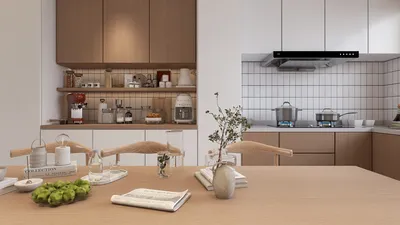
Creating realistic interior renderings with 3ds Max and V-Ray requires a solid grasp of the appropriate settings to ensure high-quality visuals. This comprehensive guide will lead you through the vital V-Ray render settings specifically designed for interior environments. From lighting techniques to material applications, we’ll explore everything necessary to craft impressive results, all while integrating the advantages of using Homestyler for your design process.
Exploring V-Ray Render Settings
Before we delve into the details, it's essential to understand the fundamental aspects of V-Ray render settings. These configurations dictate how V-Ray processes your scene, influencing elements such as lighting and texture fidelity. Key areas worth focusing on include:
Global Illumination Techniques for Interior Renders
For realistic interior lighting, Global Illumination plays a vital role. V-Ray provides several GI options:
The Brute Force method calculates lighting rays directly, making it ideal for intricate lighting scenarios, although it may demand more processing resources.
Alternatively, the Irradiance Map offers a faster rendering solution, perfect for static scenes where lighting remains constant.
Image Sampling Configuration
The Image Sampler dictates how V-Ray samples pixels within your render. For interiors, consider these configurations:
This option segments the image into manageable buckets that can be rendered independently, enhancing efficiency, particularly in detailed regions.
Adaptive DMC is typically recommended for general applications since it modifies sampling according to the complexity of the scene.
Achieving Realistic Lighting in Interiors
Proper lighting is critical when it comes to interior scenes. Here are some useful suggestions:
Configuring Render Output Parameters
Finally, it’s crucial to ensure that your render output settings are correctly configured:
Concluding Insights
By meticulously adjusting these V-Ray render settings in 3ds Max, you can significantly enhance the quality of your interior renderings. Always remember to test various configurations to identify the ones that align best with your projects, like you would while using Homestyler for designing spaces. Happy rendering!
Frequently Asked Questions
Q: Which GI engine is optimal for rendering interiors?
A: The ideal GI engine often relies on the intricacy of your scene. For complex and dynamic lighting, the Brute Force method is perfect; for more static environments, the Irradiance Map is effective.
Q: How can I diminish render times without sacrificing quality?
A: You can enhance your efficiency by utilizing lower resolution previews and tweaking the threshold settings within the Image Sampler.
Q: What output format is best for post-processing?
A: The EXR format is advisable as it offers a higher dynamic range, making it suitable for post-processing with applications like Photoshop or After Effects.
Welcome to the top Home Design Software available!










































