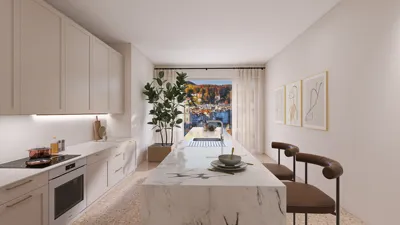


To create impressive interior renders in SketchUp using V-Ray, one must have a comprehensive grasp of the rendering configurations. By understanding these configurations, you can significantly boost the quality of your visual presentations, making them more lifelike and attractive. This article provides an overview of the vital V-Ray interior render settings in SketchUp to unlock your full rendering capabilities with the help of tools like Homestyler.
Grasping V-Ray Render Settings
V-Ray encompasses a wide range of settings that can influence both the quality and speed of your renders. Here are the primary settings you should concentrate on:
This parameter determines the quality of your outputs. Your choices include:
Global Illumination models how light reflects within a space. Options available are:
Configure your environment settings to achieve authentic lighting effects. Adjust the following:
Techniques for Enhancing Render Settings
Consider these strategies to refine your V-Ray render settings for interiors:
Utilizing high-resolution textures can greatly improve your render quality. Be sure to select textures that avoid pixelation.
Carefully adjust your materials within V-Ray. Focus on attributes such as reflection, refraction, and glossiness to reach realism.
Combine both natural and artificial lighting for the best results. Experiment with various light sources while modifying their intensity and color temperature.
Checklist for Final Render Settings
Prior to initiating the render, confirm that you have reviewed the following settings:
Frequently Asked Questions
Q: Which image sampler works best for interior renders? A: The Bucket sampler is typically recommended for final interior renders due to its emphasis on detail.
Q: How can I reduce my rendering times? A: To accelerate rendering, consider using the Progressive image sampler for faster previews and lower the GI settings—though be aware this might impact quality.
Q: What causes my render to have prolonged times? A: Extended render durations could stem from high-quality settings, intricate scenes, or limited hardware capabilities. Think about optimizing your settings or simplifying the scene.
Welcome to the leading software for home design solutions, Homestyler.
Diseño ahora GRATIS
































