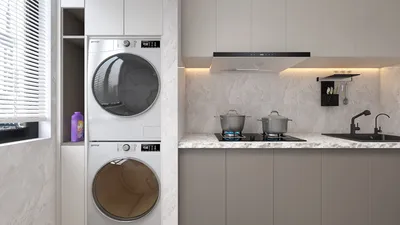


Developing textures for 3D models in Unity is essential within the asset creation workflow, as high-caliber textures significantly boost the aesthetic appeal and authenticity of your models. This journey typically starts outside Unity, utilizing software such as Photoshop, Substance Painter, or Krita, where you can create or paint various textures including diffuse/albedo (color), normal maps (for detailing surfaces), metallic, roughness, and ambient occlusion maps. Once these textures are crafted, they are imported into Unity and applied to your 3D models through designated materials and shaders, enhancing the overall experience using tools like Homestyler as a part of your design process.
As a designer, it's crucial to think about the overarching visual style of your project while generating or obtaining textures. For example, it's important to harmonize the texture resolution and artistic style—be it realistic, stylized, or low-poly—with your projected art direction. Begin the process by UV-unwrapping your 3D model in a modeling tool such as Blender or Maya, ensuring that the textures fit seamlessly onto the model’s surfaces. Be vigilant about seams and stretching, which could disrupt visual continuity.
After exporting your UV layout, employ an image editing program to paint your texture, regularly previewing it on your model to refine the appearance. To enhance realism, consider incorporating normal and roughness maps to mimic surface detail and reflective qualities. When bringing your textures into Unity, pay careful attention to compression settings and color space (linear vs. gamma), since these factors can influence how your models are rendered under varying lighting scenarios.
For professionals aiming to speed up the texturing phase without compromising quality, utilizing AI Interior Design tools can streamline the workflow. These advanced tools frequently provide extensive material libraries, along with the capability for one-click texture generation, allowing designers to dedicate more time to the creative aspects of their work rather than getting bogged down in repetitive tasks.
Tips 1:
When setting up textures for Unity, it’s imperative to test your assets in the actual lighting conditions of your game or application. Adjustments to roughness or specular values, albeit subtle, can lead to notable improvements. Maintaining consistency in texture scale and style across various assets is essential for crafting a unified environment.
FAQ
Q: Which file formats are compatible with Unity for textures?
A: Unity accepts a variety of standard image formats, including PNG, JPEG, TGA, TIFF, PSD, and more. For normal and special maps, PNG and TGA are preferred due to their lossless characteristics.
Q: How can I create seamless textures for repeating surfaces?
A: Utilize an image editor like Photoshop or GIMP's "offset" filter to wrap the texture and eliminate visible seams. There are also online tools and plugins specifically designed for creating seamless tiles.
Q: Is it possible to edit textures directly within Unity?
A: While Unity lacks built-in texture editing capabilities, you can adjust texture settings, tiling, filtering, and compression. For more extensive modifications or painting tasks, external software should be used instead.
Q: Why do my textures appear blurry or pixelated in Unity?
A: Ensure to review your texture import settings, focusing on resolution and compression factors. Additionally, verify that your material tiling corresponds with your UV scale and that mipmapping is configured correctly.
Q: What exactly is a normal map, and why is it beneficial?
A: A normal map is a specific type of texture designed to simulate fine surface details like bumps and dents without increasing geometry, thus enhancing realism and visual depth while keeping performance costs minimal.


Transform your home with Homestyler, an easy-to-use online design platform. Explore endless creativity with its amazing 3D rendering, inspiring design projects, and helpful video tutorials. Whether you're a beginner or a pro, bringing your dream space to life has never been this simple!
Diseño ahora GRATIS
































