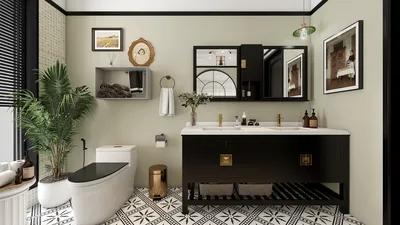
Light glare in photography is a prevalent challenge that can obscure details, introduce unwanted bright spots, and divert attention from the focal subject. This phenomenon often arises when intense light sources reflect off various surfaces or directly enter the camera lens. To mitigate or prevent light glare, it's advisable to modify your shooting environment: steer clear of aiming the camera directly at powerful light sources and utilize diffusers such as curtains or softboxes to soften any harsh lighting conditions. Moreover, employing polarizing filters can significantly reduce glare from reflective surfaces like glass or water. During post-processing, software like Photoshop or Lightroom provides tools that are excellent for minimizing glare—consider using the clone stamp or healing brush for specific corrections, along with highlights adjustments to tame overexposed regions. For those working with a series of images, focus stacking can be beneficial, merging the optimally exposed sections. As a professional interior designer, I emphasize that it’s vital to account for not only the technical solutions in photography but also the strategic placement of light sources and reflective elements in the environment. For anyone documenting interior designs, utilizing a platform like Homestyler allows you to experiment with virtual lighting, effectively reducing the chances of glare before the camera is even pulled out.
Tips 1:
When arranging interiors, position lighting strategically to highlight design elements while avoiding direct lines of sight to the camera's lens—this often involves bouncing light off walls or ceilings for a softer effect.
FAQ
Q: What leads to light glare in interior photos?
A: Light glare typically results from strong light sources, such as windows, lamps, or direct sunlight, reflecting off surfaces or striking the camera lens head-on.
Q: What steps can I take to avoid light glare during photography?
A: Minimize glare by adjusting your shooting angle, employing diffused lighting techniques, using a lens hood, or applying a polarizing filter to your camera lens.
Q: Is it possible to eliminate glare from photos after they've been captured?
A: Yes, post-processing software like Photoshop and Lightroom offers cloning, healing, and highlights adjustment tools that help reduce or eliminate glare effectively.
Q: Does the arrangement of a room influence the potential for glare in photographs?
A: Definitely. Thoughtful placement of furniture and light sources, opting for matte surfaces over glossy ones, and minimizing direct lighting paths to the lens can all help reduce glare in interior shots.
Q: Are there digital solutions available for visualizing interior lighting and mitigating glare prior to a photoshoot?
A: Yes, utilizing 3D rendering platforms like Homestyler enables you to simulate various lighting setups and pinpoint potential glare issues before photographing a space.
Homestyler is your go-to online platform for effortless home design! With its user-friendly design tool, stunning 3D renderings, and abundant DIY video tutorials, you can transform your space and unleash your creativity without any prior experience. Start designing today!























































