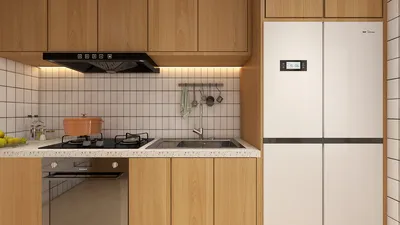
Rendering a home design plan is a crucial aspect of visualizing your layout, particularly in compact areas. Whether you are a homeowner aiming to maximize your space or a designer assisting clients, acquiring this skill can significantly enhance your projects. This article will guide you through the rendering process of a home plan, equipped with valuable tips and strategies.
Getting to Know the Essentials of Home Plan Rendering
Before you begin the rendering journey, it's important to comprehend what constitutes a home plan. This document comprises architectural sketches detailing the arrangement, measurements, and characteristics of a residence. By rendering, you infuse these plans with color, texture, and visual intrigue, transforming them into lifelike depictions.
Selecting the Appropriate Tools for Rendering
To efficiently render a home plan, having the right tools at your disposal is essential. Here are several leading options:
A Step-by-Step Guide to Rendering
Begin with a comprehensive home plan that encompasses all dimensions, layouts, and features. It’s vital that the plan accurately reflects your vision.
Using your selected software, import the home plan. This step enables you to develop a 3D model derived from your initial 2D drawings.
Transform your 2D home plan into a 3D model. This process involves adding walls, windows, doors, and roofs. Make sure to focus on the dimensions to ensure precise rendering.
Incorporate textures and materials into your model. Opt for sustainable and visually appealing choices that resonate with your design principles.
Proper lighting is vital for rendering success. Experiment with various lighting configurations to establish a true-to-life ambiance in your model.
Once you're happy with your model, proceed to render the final image. Depending on your design's complexity and your software's capacity, this step may take some time.
Strategies for Effective Rendering
Here are some strategies to boost your rendering proficiency:
FAQ
A: Popular tools include SketchUp for novices, AutoCAD for intricate work, and 3ds Max for premium visual results. Additionally, consider exploring Homestyler for user-friendly options.
A: The time required depends on complexity and the software employed, ranging from mere minutes to several hours.
A: Indeed, there are free software choices like SketchUp Free and Blender available for rendering, although they might come with certain limitations.
Discover the leading Home Design Software to enhance your projects.








































