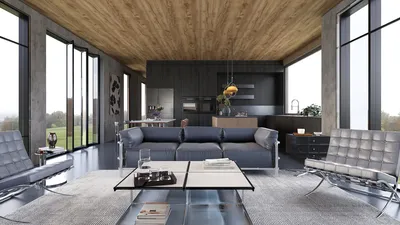


Designing 3D models of schools is an exciting way to showcase your architectural ideas. Whether you are a teacher looking to engage students or a budding designer eager to display your talents, learning the art of 3D modeling is vital. In this detailed guide, we will delve into the essential stages of crafting striking 3D school models that foster imagination.
Grasping the Essentials of 3D Modeling
As you start your journey towards creating a 3D school model, it's important to understand the core concepts of 3D modeling software. Applications like SketchUp, Blender, and Homestyler are designed with user-friendly interfaces that cater to beginners. These tools allow you to manipulate shapes and build complex designs. Have you considered which aspects of the school environment you want to highlight? Focus on significant areas like classrooms, laboratories, or libraries to shape your vision.
First, choose a software that aligns with your skill level and comfort. Each tool has its strengths, and many come with tutorials to kickstart your creative process. Do you have a specific theme or focus for your 3D school model?
Crafting Your 3D School Model
Now that your software is ready, it’s time to turn your design into reality! Begin by drafting a rough floor plan on paper, which will serve as a roadmap for your 3D model. Pay attention to details like student traffic flow, natural light, and the usability of each area.
After laying out your plan, start building within your 3D modeling software. Construct walls, windows, and doors, carefully considering materials and color schemes. What colors represent school spirit? Are there distinctive architectural features that you want to incorporate into your design?
Enhancing with Details and Textures
Once the foundational structure of your school model is in place, it’s time to add the finer details. This phase includes introducing furniture, lighting, and textures that add realism. Many modeling platforms, including Homestyler, offer libraries of objects to import. Think about how to arrange classroom furniture and what types of artwork or murals could brighten the hallways.
Would you consider adding interactive components to your model? This feature can greatly enhance viewer engagement. Be creative with textures—how can they enliven your project?
Rendering and Showcasing Your Model
With your model built and decorated, the next step is rendering. This essential process produces detailed images of your work. Most 3D applications let you modify lighting, backgrounds, and camera perspectives for optimal visuals. Have you thought about how you’ll present your model? Will you share it digitally, or would you rather create physical copies for your class?
After rendering, your 3D school model will be ready for presentation! Share it with your classmates or add it to your design portfolio. What kind of feedback are you hoping to receive from your audience?
Frequently Asked Questions
Q: Which software is best for 3D school modeling? A: Popular choices include SketchUp, Blender, and Homestyler, depending on your design needs and skill level.
Q: How long does it usually take to learn 3D modeling? A: This can vary widely, but with concentrated effort, you can create basic models within several weeks.

SAFAVIEH Couture Collection Gabrietta Natural/Blac

Bush Business Furniture Move 60 Series 72W x 30D E

Hymus 100% Solid Oak Wood Desk - Small Writing Des
Homestyler is your go-to online home design platform! With its easy-to-use design tool and amazing 3D renderings, you can visualize your ideas effortlessly. Plus, explore a wealth of inspiring design projects and handy video tutorials to elevate your DIY skills. Transform your space today!
Diseño ahora GRATIS
































