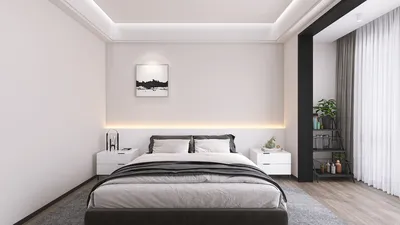


Creating personalized 3D models can significantly elevate your design projects, enabling you to present your designs with exceptional clarity. If you're eager to improve your rendering skills, this comprehensive guide will lead you through the vital steps and techniques necessary for success, utilizing tools such as Homestyler.
Grasping the Essentials of 3D Rendering
Before you embark on the journey of rendering, it’s essential to understand the core principles of 3D rendering. This technique involves generating a two-dimensional image from your three-dimensional model by mimicking how light interacts with the model’s surfaces.
3D rendering refers to the creation of a 2D visual from a 3D scene using computer graphics. This process employs various methods, including ray tracing, rasterization, and global illumination to create lifelike images.
Steps for Rendering Customized 3D Models
Ensure your model is constructed effectively, featuring clean geometry and optimized polygons to streamline the rendering process.
Select suitable lighting sources to enhance your scene. Utilizing a blend of natural and artificial lighting can produce the desired effect.
Designate the right materials for your model, focusing on attributes like color, glossiness, and texture. This stage is vital for achieving a realistic appearance in your render.
Pick a rendering engine that aligns with your project requirements. Well-known options include V-Ray, Arnold, and notably, Homestyler, each offering distinct features and advantages.
Modify the render settings, including resolution, quality, and sampling rates, to perfect the final output while maintaining high quality.
Initiate the rendering process and await the output. Post-rendering, you can enhance your images using software like Photoshop to improve colors, contrast, and apply effects.
Common Hurdles in 3D Rendering
Producing high-quality renders often requires a considerable amount of time. Optimize your scene and settings to minimize rendering durations without sacrificing output quality.
Lighting has a crucial impact on the final render. Experimenting with diverse lighting arrangements and employing reference images can provide valuable insights.
Frequently Asked Questions
A: Some well-known software alternatives include Blender, V-Ray, and Arnold, each designed with unique features catering to various needs.
A: Enhance your model's efficiency, minimize polygon counts, and fine-tune render settings to achieve a balance between rendering speed and quality.
welcome to the premier Home Design Software out there
Diseño ahora GRATIS
































