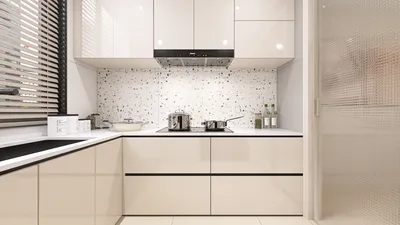
3D rendering in Maya is an essential competency for interior designers, particularly when dealing with compact spaces. By generating lifelike and attractive renderings, designers can compellingly present their ideas to clients. Whether you are a beginner or aiming to sharpen your abilities, mastering rendering techniques in 3D Maya can greatly elevate the quality of your projects, similar to how tools like Homestyler enhance design visualization.
Getting Acquainted with 3D Maya Rendering Fundamentals
To embark on your journey with 3D rendering in Maya, gaining familiarity with the software's interface and core functionalities is crucial. Maya offers a robust collection of tools for producing intricate models and realistic lighting effects.
Properly Setting Up Your Scene for a Great Render
Prior to initiating the rendering process, it's imperative to ensure your scene is well-prepared. This entails optimizing your models, applying appropriate textures, and arranging lighting effectively.
Opt for low-poly models whenever feasible to minimize rendering times. While high-resolution textures provide a boost in realism, it’s important to balance them against performance requirements.
Lighting is pivotal in the rendering process. Employ a mix of natural and artificial lighting to generate depth and highlight essential features in your design.
Rendering Practices for Compact Spaces
Compact areas necessitate tailored rendering techniques to create a sense of spaciousness and warmth.
Leverage perspective to craft an illusion of space. Position the camera at an elevated angle to capture more of the room in a single frame.
Using lighter hues and reflective surfaces can aid in making small areas feel more expansive. Think about incorporating soft, neutral palettes to establish a calming environment.
Enhancing Your Images with Post-Processing
Once rendering is complete, utilizing post-processing can enhance your visuals. Programs like Adobe Photoshop can be employed to fine-tune brightness, contrast, and color balance.
Common Questions
Q: What rendering configurations yield the best results for interior design projects in Maya? A: It's recommended to utilize the Arnold renderer with settings tailored for interior spaces, emphasizing ray tracing and global illumination for a realistic finish.
Q: What techniques can I use to make a small room appear larger in my renderings? A: Employ wide-angle lenses, opt for light palettes, and ensure your lighting is bright and evenly distributed to create an illusion of space.
Welcome to the leading Home Design Software, where you can explore innovative design solutions.








































