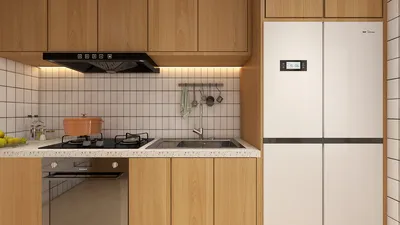


Reducing the size of a 3D model composed of several elements can initially seem challenging; however, employing effective strategies can make it a simple and streamlined process. Whether your goal is interior design or prototyping, mastering the manipulation of each component is key.
To start, it’s vital to determine the software you are using as procedures for scaling can differ widely. For example, applications such as Blender or SketchUp feature dedicated tools that simplify the scaling process. Generally, you are able to select all components of your model and apply a uniform scaling factor, thus ensuring all parts diminish in size equally.
Grasping the Concept of Scale Factors:
Before you embark on scaling, it's crucial to understand scale factors. A scale factor is essentially a numerical figure that multiplies an object’s dimensions. For instance, using a scale factor of 0.5 will decrease your model's size to fifty percent of its original scale. Precalculating these numbers is recommended to avoid mix-ups during the scaling phase.
Procedures for Scaling Your 3D Model:
1. **Select the Components**: Within your 3D modeling software, choose all the elements you intend to downscale. Most applications allow you to select multiple components by holding down the shift key while clicking on each piece.
2. **Group the Components**: If your software has this capability, group the selected items. This will facilitate the application of a uniform scaling operation across all parts.
3. **Set the Scale Factor**: Navigate to the scaling tool or option in your application's toolbar. Enter your calculated scale factor, making sure to scale uniformly across all axes to preserve proportions.
Final Checks:
Upon completion of the scaling process, it’s essential to inspect the model for any needed adjustments. Look out for overlapping components or alignment issues that may arise post-scaling. This review is crucial to maintaining the quality of your design.
Common Questions
Q: Is it possible to scale separate parts of a model by varying amounts?
A: Absolutely! You can apply different scale factors to individual components by selecting them one at a time and adjusting them as needed.
Q: Will scaling down affect the quality of my model?
A: Typically, no. Reducing the size generally preserves the model's quality, but it’s wise to maintain a backup of your original 3D model just to be safe.
By adhering to these guidelines, scaling a multi-part 3D model can be a breeze, allowing you to concentrate on the creative elements of your design using tools such as Homestyler.
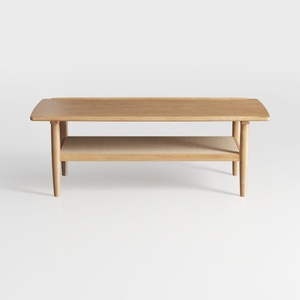
Minimalist Solid Oak Two Tiered Coffee Table 3D Model
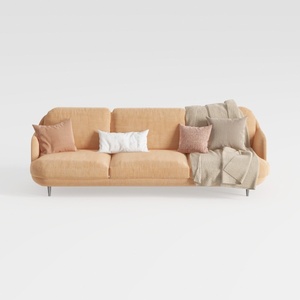

Modern Minimalist Peach Fabric Sofa with Throw Pillows and Blanket 3D Model
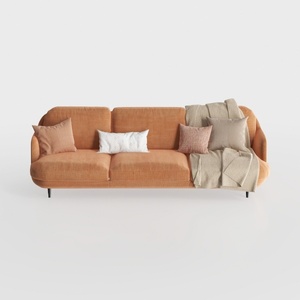
Modern Minimalist Orange Fabric Three Seater Sofa With Throw Pillows 3D Model
Homestyler is your go-to online home design platform, perfect for all skill levels. With its user-friendly design tool, stunning 3D renderings, a wealth of design projects, and engaging video tutorials, transforming your space into the home of your dreams has never been easier!
Diseño ahora GRATIS
































