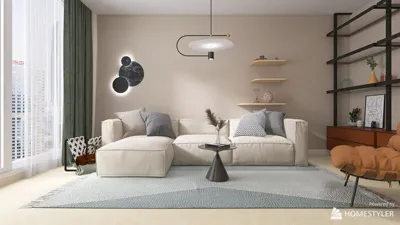
Transforming your basic models into stunning presentations of bathroom interiors can be achieved using Homestyler. Whether you are a seasoned designer or an enthusiastic DIYer, grasping the rendering techniques is essential to make your bathroom ideas a reality. Here's a guide to initiating the rendering process and crafting striking bathroom spaces with Homestyler.
Getting Acquainted with Homestyler Rendering Essentials
Before you start rendering, it's essential to familiarize yourself with the tools offered by Homestyler. Rendering is the process of generating a three-dimensional visual of your design that incorporates realistic lighting, textures, and shadows.
1. Configuring Your Model
Start by designing your bathroom layout using Homestyler. Remember to include:
2. Adding Materials and Textures
For a lifelike representation of your bathroom design, apply suitable materials and textures:
3. Illuminating Your Bathroom Space
Lighting is a vital element in the rendering process. In Homestyler, you can incorporate:
4. Selecting a Rendering Plugin
Homestyler offers various rendering plugins to elevate your visualization experiences:
5. Executing the Rendering of Your Model
After setting up your model with materials and lighting, proceed to render:
6. Techniques for Post-Processing
Post-rendering, you can improve your images with editing software like Photoshop to achieve that perfect finish:
Frequently Asked Questions
Q: What materials work best for rendering bathrooms in Homestyler? A: Selecting materials such as ceramic tiles, glass, and water-resistant paint can contribute to both realism and longevity in your designs.
Q: How can I create realistic lighting in my bathroom renderings? A: Make use of both natural and artificial light sources, and fine-tune your rendering plugin settings to maximize the visual appeal.
Welcome to the top choice for home design software – Homestyler!








































