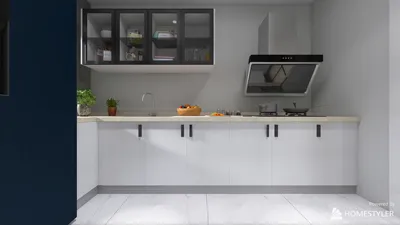
Rendering assets effectively in Unity is an essential skill for both game developers and designers. Mastering the modeling and rendering techniques not only boosts the graphical fidelity of your game but also enhances performance. In this article, we will guide you through the comprehensive process of modeling and rendering assets in Unity, equipping you with the essential tools and insights necessary to create visually captivating environments and characters.
Understanding Asset Development
Before you start rendering, it's crucial to grasp the fundamental principles of asset development. Assets within Unity encompass everything from 3D models to textures and audio elements. Here’s what you need to consider:
To generate and render your assets, you will require specialized software applications:
Modeling Your Assets
With your tools assembled, it’s the perfect moment to begin modeling your assets.
Start with a rough sketch of your model, either on paper or using digital tools. Utilize your selected modeling software to form the basic structure of your asset, while ensuring the geometry remains clean and efficient.
Once the modeling phase is completed, the subsequent task is UV mapping. This technique involves unwrapping your 3D model into a 2D layout, which allows for precise texture application.
When your UV map is finalized, use your texturing software to paint your model. It’s advisable to utilize high-resolution textures to enhance quality.
Importing Assets into Unity
Following the completion of your model, the next step is to import it into Unity.
Export your model from your 3D software in a format compatible with Unity, such as FBX or OBJ.
In Unity, simply drag your exported model into the Project window. Unity will automatically generate a prefab for your asset, streamlining the process.
Rendering Your Assets in Unity
Once imported, your focus will shift to rendering your assets efficiently.
Create new materials within Unity and apply them to your model. Adjust attributes like color, metallic finish, and smoothness to achieve your desired aesthetic.
Lighting plays a pivotal role in rendering. Employ various light types (directional, point, and spotlights) to enhance your scene dramatically. Experimenting with shadow effects and ambient light settings will yield impressive results.
Carefully position your camera to adequately frame your assets. Fine-tune the field of view and depth of field settings to amplify the visual impact.
Conclusion
The process of modeling and rendering assets in Unity presents a fulfilling blend of artistic creativity and technical proficiency. By adhering to the outlined procedures, you can craft visually stunning assets that resonate with players and enrich your game’s atmosphere. Keep in mind that continuous practice is essential; don't hesitate to try out different techniques and tools like Homestyler for your asset development.
FAQ
Q: What are the optimal formats for model importation into Unity? A: FBX and OBJ are recognized as the most commonly preferred formats for import into Unity.
Q: What strategies can I employ to enhance asset performance in Unity? A: You can optimize your models by decreasing polygon counts, using lower resolution textures, and incorporating level of detail (LOD) strategies.
Discover the top home design software to bring your creative visions to life.








































