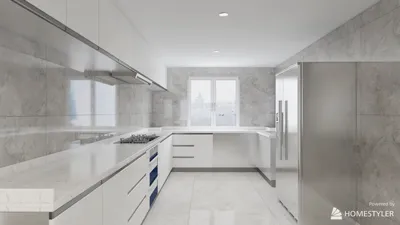
Rendering sunlight in interior spaces using V-Ray 2 can significantly boost the realism and ambiance of your designs. Sunlight not only introduces warmth but also adds depth, shadows, and highlights that invigorate your environments. Here’s how you can effectively achieve sunlight rendering in your interior scenes with V-Ray 2.
Understanding Sunlight Simulation in 3D
Before you explore the settings, grasping how sunlight operates within a 3D environment is vital. V-Ray employs a physical sun and sky model that replicates realistic lighting conditions, ensuring that your interiors are illuminated accurately with authentic shadows.
Configuring the Sun in V-Ray 2
To begin the process of rendering sunlight in your interiors, adhere to these steps:
Enhancing Shadow Realism
Shadows are fundamental in sunlight rendering. Implement these strategies to cultivate more natural shadow effects:
Optimizing Materials for Sunlight
To maximize the effect of sunlight through your interiors, it’s crucial to configure your materials properly:
Concluding Your Render Settings
After establishing your sunlight configuration, finalize the render settings:
Final Thoughts
Rendering realistic sunlight in interiors with V-Ray 2 requires knowledge of the available tools and settings. By effectively simulating sunlight, fine-tuning shadows, and optimizing materials, you can produce breathtaking interior scenes that engage viewers. Consider exploring how the Homestyler platform can complement your design process for even more dynamic results.
Frequently Asked Questions
Q: How can I adjust the intensity of sunlight in V-Ray 2? A: The intensity of sunlight can be controlled by modifying the settings of the V-Ray Sun, particularly the intensity multiplier.
Q: What shadow settings produce the best results for sunlight rendering? A: Generally, utilizing soft shadows with the appropriate shadow bias settings tends to produce the most realistic sunlight effects.
Welcome to the leading home design software available.








































