

Roblox has emerged as an international focal point for creativity and self-expression, with numerous users eager to extend their digital avatars beyond the confines of the game. This could involve renders, animations, or even showcasing interior design visuals. If you’re curious about how to acquire a 3D model of your Roblox avatar, the process is straightforward and adaptable. Generally, users turn to Roblox Studio, employing plugins such as "Load Character" or relying on external export tools. Start by logging into Roblox Studio, create a new baseplate, and utilize the plugin to directly import your avatar. After loading it, you can export this character as an OBJ or FBX file for use in various 3D software. For those seeking more intricate control, third-party utilities or scripts can be an option, but remember to always choose tools from reputable sources to safeguard your account and files.
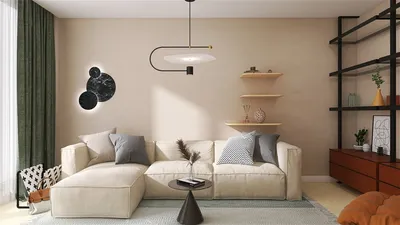
As a designer, I recognize the value of 3D models of avatars as a means to personalize creative environments. For instance, integrating your avatar into a 3D rendering of a home scene allows you to visualize furnishings, color schemes, or layouts, infusing a creative touch into digital interiors. This not only connects gaming with design but also enables you to prototype your ideal spaces with your digital persona serving as a test subject, particularly when utilizing tools like Homestyler for interior design.
Tips 1:
For an optimal export experience, it's advisable to temporarily remove any gear or layered clothing from your Roblox inventory before importing. This can help minimize mesh issues and render your 3D avatar more accessible for modifications in other software. Additionally, consider saving various outfits as distinct 3D files for quick visualization across different design scenarios.
FAQ
Q: Can I export my Roblox avatar straight from the website?
A: Unfortunately, exporting directly from the website isn't possible; you must utilize Roblox Studio alongside appropriate plugins or external tools to generate a 3D model file for your avatar.
Q: What file formats are ideal for exporting Roblox avatars?
A: The most widely accepted formats are OBJ and FBX, as they are compatible with leading 3D design and rendering software.
Q: Is it secure to utilize third-party exporters for Roblox avatars?
A: It's recommended to use only well-reviewed public tools or official plugins from trusted sources to mitigate any risks to your account or computer.
Q: Can my Roblox avatar be incorporated into interior design software?
A: Yes, once exported, you'll be able to import the 3D model into most rendering or design applications, allowing you to visualize your avatar in imaginative spaces.
Q: What steps should I take if the 3D model is missing textures or exhibits errors?
A: Verify that all clothing items and accessories are compatible, or you may need to adjust the materials in your preferred 3D software to resolve any texture problems.



Homestyler is your go-to online home design platform! With its easy-to-use design tool, stunning 3D renderings, rich design projects, and helpful video tutorials, you can easily create and visualize your dream home—perfect for both beginners and seasoned designers alike!
Diseño ahora GRATIS
































