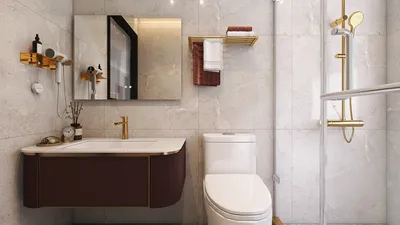


As new features in iOS 26.5 enhance our smartphone experiences, they also inspire us to rethink how technology integrates into our living spaces. Smart home setups that sync seamlessly with the latest devices encourage designs centered around usability and comfort. Incorporating charging stations and adaptable furniture into our interiors allows technology to complement our daily routines without sacrificing style or space.
A floor plan that lacks scale is merely a rough sketch rather than a true floor plan. This distinction becomes critical when you attempt to use it: furniture that should fit often does not, doorways that appear wide enough prove to be too narrow, and renovations that seemed perfect on paper can lead to costly real-world adjustments.
Creating a floor plan to scale means every component represents a consistent ratio relative to its real-world dimensions. For example, a 12-foot wall is consistently depicted at the same measurement on paper, ensuring reliability. This standardized representation enables floor plans to be practical tools for arranging furniture, managing contractors, or showing designs to clients.
The encouraging aspect is that you don't need a physical ruler, graph paper, or specialized CAD skills. A scaled floor plan creator automates the ratio by allowing you to input actual measurements, keeping all elements precise. If you're eager to jump in and design a scaled floor plan at no cost, Homestyler offers an excellent platform to begin. This guide walks you through the complete process—measuring, drafting, and perfecting your plan.
Understanding "Drawing to Scale"
Scale, fundamentally, is a ratio. When a floor plan is drawn at 1/4 inch equals 1 foot, every foot of actual space corresponds to a quarter inch on the drawing. Thus, a 20-foot wall translates to 5 inches on the plan, and a 3-foot doorway measures three-quarters of an inch.
Examples of typical floor plan scales include:
When manually sketching, you convert each measurement yourself before drawing. In contrast, floor planning software lets you enter real measurements and automatically manages scaling, ensuring accuracy even upon exporting or printing.
Step 1: Precisely Measure Your Space
Accurate measurements are the foundation for all subsequent steps. Estimates or rushed measurements yield floor plans that look plausible but won't function effectively in reality.
Necessary tools include:
Relevant measurements you should take:
Common pitfalls to avoid:
Record all measurements diligently before proceeding to the next wall. Avoid relying on memory alone. Using a small notebook, voice memos, or photos of each wall with visible measuring tape improves accuracy.
Step 2: Create a Rough Sketch Initially
Before finalizing your floor plan, draft a freehand sketch of the room’s outline. It need not be to scale but serves as a preliminary reference to map where walls and features will be placed in the digital plan.
Begin with exterior walls on a room-by-room basis. Mark wall start and end points, note door and window locations, and indicate shared walls between rooms. This sketch guides your input into the floor plan software.
Step 3: Decide on Your Drawing Method
Traditional hand drawing on graph paper assigns each square to a fixed scale—often 1/4 inch equals 1 foot. Walls are drawn by counting squares, doors as arcs indicating swing, and windows as double lines. Although classic, this approach is slow, prone to errors, and challenging to edit.
Using floor planning software streamlines the process. You input actual measurements, and the software manages scale precisely. Walls snap appropriately, doors and windows behave as functional elements, and plans can be revised seamlessly without redoing everything.
In 2026, software solutions like Homestyler are the preferred choice for most users as they combine speed, accuracy, and flexibility. Manual methods remain useful for quick on-site sketches but must be digitized before serious use.
Step 4: Draw the Walls
Whether hand-drawn or digital, walls form the structural backbone of your plan. Ensure they are drawn sequentially and accurately.
Wall thickness differs by type: exterior walls usually measure about 6 inches thick, while interior walls are around 4 inches. Floor planning tools typically provide presets; hand sketches represent thickness as double lines with a gap.
Step 5: Insert Doors, Windows, and Fixed Features
After outlining walls, add elements that define the room’s usability:
Place each door at its measured location along walls, illustrating the door swing arc to show opening direction and reach. This prevents functional issues like collisions with corners or other doors which a scaled plan helps to identify before building.
Windows should be depicted at accurate widths and positions. For example, a 36-inch wide window will be proportionally represented, which is crucial for planning furniture placement nearby.
Incorporate immovable fixtures—kitchen cabinetry, islands, built-in shelving, staircases, and support columns—before considering movable furniture.
Step 6: Experiment with Furniture Arrangement
Use your scaled plan as a testing ground to evaluate if furniture fits well and the space functions as intended.
In floor planning software like Homestyler, furniture models from a library are sized accurately. For instance, a standard 7- to 8-foot sofa appears true to its dimensions on the plan, allowing instant checks for clearance, positioning relative to windows, and traffic flow.
Unlike paper cutouts required for hand-drawn plans, digital tools let you drag and drop furniture effortlessly, speeding up layout exploration.
Drawing to Scale Without Manual Tools: The Power of Homestyler
As promised, you can design a floor plan to scale without rulers or graph paper. Homestyler lets you enter actual dimensions—feet, inches, or metric units—and automatically creates an accurate scaled plan.
Draw walls by typing lengths, place doors to correct sizes, and the tool enforces scaling behind the scenes, guaranteeing precision without manual calculations.
Modern design tools eliminate the need for painstaking scale maintenance—as everything is governed by the software.
Homestyler’s free tier provides full access to essential features: drawing walls with real measurements, placing doors and windows, adding furniture from a rich library, and generating 3D views of your design. No payment or complicated setup required.
Avoiding Common Scaling Errors
Relying on visual estimates rather than exact furniture measurements can spoil your plan. Always measure pieces accurately or use model data.
Not accounting for necessary clearance zones impacts room usability. Standard minimum clearances include 36 inches for primary pathways, 18 inches for secondary ones, and 30–42 inches in front of appliances to allow doors to open freely.
Misrepresenting wall thickness can shift furniture placement erroneously, as interior walls drawn too thick add unintended space between elements.
Omitting door swing arcs in your plan leaves uncertainty regarding potential obstructions between doors and fixtures.
Printing at incorrect scales—such as using 'fit to page'—distorts measurements. Instead, export at fixed scales or include a scale bar to confirm printed accuracy with a ruler.
From Scaled Floor Plans to Complete Interior Design
A correctly scaled floor plan sets the stage for all subsequent design steps: furniture layout, materials selection, lighting, 3D visualization, and client presentations.
The plan need not be architectural-grade but must be dimensionally accurate, complete, and reliable to inform real-world decisions effectively.
Begin Designing Today
Measure your environment carefully, then input data into a platform like Homestyler that automatically preserves accuracy, streamlining your design workflow.
Create a scaled floor plan for free →
Input exact measurements, position your walls, and visualize your space in 3D—no rulers, no manual scaling, just intuitive design.

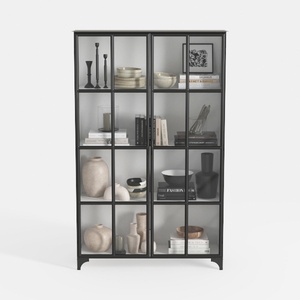
Triple Wide 5-Tier Bookshelf, 70.87" L x 79.13" H


Minimalist Fabric U Shaped Sectional Sofa with Side Tables 3D Model
Homestyler offers an easy-to-use online home design tool with stunning 3D renderings, a vast collection of interior design projects, and helpful DIY video tutorials—perfect for anyone looking to create and visualize their dream space effortlessly.
Diseño ahora GRATIS
































