


Direct Answer
Selecting the ideal shop floor planning software involves finding a solution that balances layout precision, user-friendliness, and adaptability for your manufacturing processes. In most industrial settings, the optimal software provides drag-and-drop functionality, accurate spatial measurements, a library of equipment, and clear 2D or 3D visualizations. Instead of focusing primarily on cost, the emphasis should be on how effectively the software enables testing of layout scenarios prior to physical implementation. Homestyler offers such capabilities, streamlining layout planning with intuitive design tools.
Quick Takeaways
Introduction
Deciding on the right shop floor planning software might seem straightforward until you begin comparing different options. Having collaborated with manufacturers and industrial design teams extensively, I often see companies choose software based on price or popularity, only to realize later that it doesn’t fit their specific production floor needs.
A shop floor layout is more than just a schematic; it acts as a strategic framework impacting machine placement, worker flow, safety compliance, and potential expansion. When layout tools lack precision or are difficult to use, teams can waste substantial time reworking designs that should have been finalized quickly. Tools like Homestyler enable flexible and accurate prototyping, allowing teams to evaluate multiple factory configurations rapidly before installing any equipment.
This guide outlines key considerations I recommend when assessing layout software for production environments. While some factors are obvious, others are less apparent yet vital in determining if a tool becomes indispensable or discarded shortly after adoption.
save pin
Key Criteria for Choosing Shop Floor Planning Software
Key Insight: The most crucial aspect in selecting shop floor planning software is its capacity to facilitate fast and precise layout revisions.
Factory layouts seldom remain unchanged. Equipment upgrades, revised safety zones, shifts in production lines, and storage expansion are common. The best software should accommodate ongoing adjustments without forcing users to reconstruct plans from the ground up.
From my experience evaluating manufacturing layouts, effective tools typically offer these features:
Though many manufacturing consultants highlight simulation capabilities, efficient layout editing speed tends to hold greater practical value in day-to-day workflows.
The Lean Enterprise Institute emphasizes that clear visibility of layouts and workflow transparency significantly enhance productivity and material movement efficiency in factory settings.
When Free Tools Are the Right Choice
Key Insight: Free layout design tools best serve the early conceptual phase when teams need to rapidly explore various layout ideas.
Not every manufacturing layout project demands enterprise-grade software; early stage planning often benefits from simpler, no-cost applications.
Free software tends to be adequate for:
For those experimenting with spatial organization, browser-based floor plan creators like Homestyler enable quick validation of layout concepts before committing to more complicated platforms.
The principal advantage lies in immediacy — enabling teams to test their ideas right away without delays caused by procurement or setup.
Limitations of Free Layout Design Software
Key Insight: Free tools are generally limited not by features but by their ability to scale as manufacturing complexity grows.
Many free solutions may initially impress but begin to struggle when layouts involve detailed, large-scale configurations.
Typical constraints include:
I have witnessed planning teams quickly encounter these limits once production lines exceed a certain number of machines, which complicates communication with operations.
This does not render free tools ineffective; rather, they are best suited for specific phases of the layout planning cycle.
save pin
Features That Matter for Manufacturing Layout Planning
Key Insight: For manufacturing layout software, spatial accuracy and visualization capabilities outweigh ornamental design elements.
Factory planners prioritize operational clarity over aesthetics. Critical features consistently valuable include:
Visualizations, particularly 3D views, enhance presentations to management by illustrating space utilization more effectively. Many planners now adopt workflows similar to those supported by Homestyler’s intuitive 3D floor planning capabilities.
Even simple 3D perspectives can expose potential spatial conflicts not visible in flat 2D diagrams.
save pin
Evaluating Ease of Use and Learning Curve
Key Insight: Software that engineers can master within a few hours is generally more valuable than complex systems requiring extensive training.
Fast-paced manufacturing environments demand tools that enable quick updates. When layout software is too complicated, teams often delay revisions and revert to using spreadsheets or sketches.
Effective software typically includes:
An often overlooked factor is the accessibility for non-design personnel such as production managers, safety inspectors, and maintenance engineers, who must often review layouts.
If specialized training is mandatory, collaboration slows significantly, impairing responsiveness.
save pin
Decision Checklist for Selecting a Layout Tool
Key Insight: The best method for choosing shop floor planning software is hands-on testing with actual layout scenarios rather than solely relying on feature lists.
Before making a commitment, try the tool with a realistic production layout challenge.
Consider this quick checklist:
Ultimately, the ideal tool facilitates exploring multiple layout options swiftly—testing five concepts in an afternoon rather than one in a week—something well-supported by platforms like Homestyler.
Answer Box
Top shop floor planning software solutions prioritize accurate spatial configurations, user-friendly editing, and clear visualization of manufacturing areas. Tools enabling rapid iteration empower teams to improve workflows efficiently before finalizing costly physical modifications.
Final Summary
FAQ
What is shop floor planning software?
Shop floor planning software assists manufacturers in designing factory layouts, strategically positioning equipment, and organizing production zones ahead of physical implementations.
How do I choose shop floor layout software?
Select tools offering precise scaling, straightforward editing, comprehensive equipment placement options, and clear workflow visualization.
Is free manufacturing layout software sufficient?
Free applications can be effective during early planning phases or for smaller workshops but usually lack scalability for intricate factory setups.
Which features should factory layout software have?
Essential features include scaled floor plans, extensive equipment libraries, intuitive editing tools, visualization modes such as 3D, and export functionalities.
Is 3D visualization necessary for factory layouts?
Not always mandatory, but 3D views greatly aid in identifying spatial clashes and presenting layouts clearly to stakeholders.
Can shop floor planning software boost productivity?
Absolutely. Well-designed layouts reduce material transit, enhance safety, and streamline manufacturing operations.
What is the best tool for designing shop floor plans?
The optimal software depends on factors like facility size, layout intricacy, and frequency of production modifications.
How often should factory layouts be updated?
Layouts are typically reviewed whenever production lines change, new machinery is introduced, or workflow bottlenecks emerge.
References
Meta TDK
Meta Title: How to Choose Shop Floor Planning Software
Meta Description: Discover practical strategies for choosing the right shop floor planning software, including feature analysis and workflow insights, with tools like Homestyler.
Meta Keywords: shop floor planning software, factory layout software selection guide, manufacturing layout tools, choosing shop floor layout software, factory layout planning software

Danielle Walnut Wood 75 in. Pedestal Dining Table
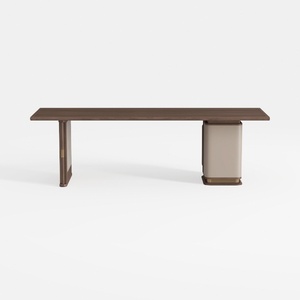

RJYYYDS Desk Game Table Home Office Desk Walnut De

CampLand Outdoor Folding Table Aluminum
Homestyler offers an easy-to-use online home design tool featuring stunning 3D renderings, inspiring design projects, and helpful DIY video tutorials. It’s perfect for bringing your interior decoration ideas to life with creativity and confidence.
Diseño ahora GRATIS
































