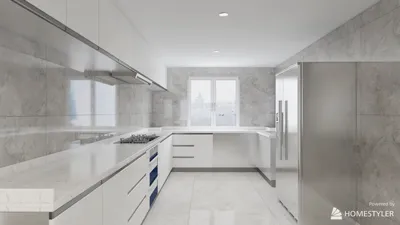


Transforming a 2D blueprint into a 3D model may seem challenging, but with the correct software and techniques, it can be a thrilling journey! In this guide, we'll walk you through the vital steps needed to turn your designs into magnificent 3D creations that truly capture your imagination, and how tools like Homestyler can assist in this process.
Grasping the Fundamentals of 3D Design
Before we delve into the actual modeling, it's essential to understand the basic principles of 3D design. A 3D model serves as a digital representation of an object in three dimensions. This allows users to view it from multiple perspectives and interact with it for various uses, such as interior design or computer graphics.
Ever wondered how architects and designers bring their concepts to life in digital spaces? The adventure starts with your blueprint!
Step 1: Select Appropriate 3D Modeling Software
To commence the modeling journey, you need to choose a suitable software tool. Notable examples include Blender, AutoCAD, and SketchUp. Each software provides unique functionalities tailored to different levels of expertise and project demands. If you're new to this field, SketchUp is particularly user-friendly and easy to navigate, making it a great start. Alternatively, you might find Homestyler a beneficial option for creating visually appealing models effortlessly.
Consider this: What features do you need from your software? Will you require rendering options or animation support? Explore various software and select one that best meets your creative ambitions.
Step 2: Load Your Blueprint into the Software
After choosing your software, the following task is to import your blueprint. Most programs support uploading images or PDF files directly to the workspace. It’s crucial to scale your blueprint accurately to represent real-world dimensions, ensuring precision in your final model.
Have you made sure the settings are correctly adjusted? Aligning your blueprint with the software's axes is vital for successful modeling.
Strategies for Successful 3D Modeling
1. Decompose your model into basic shapes. This approach simplifies the modeling process, making it more organized and manageable.
2. Utilize layers to differentiate elements of your design. This organization facilitates easier editing and visualization, especially with intricate models.
3. Continually reference your blueprint throughout the modeling process to maintain alignment with the original design intention.
Step 3: Construct Your 3D Model
Now, the exciting part begins—constructing your model! Use the tools available within your software to generate shapes, extrude forms, and join elements as per your blueprint. Keep in mind that patience is essential!
As you develop your model, do not shy away from experimenting and making modifications. This is your artistic avenue, and creativity has no strict boundaries. What feels suitable for your design?
Step 4: Incorporate Colors and Textures
After completing your model, the next logical step is applying textures and colors. This is the phase where your vision truly starts to take shape. Select materials that resonate with your concept and elevate the realism of your model.
Have you considered the effects of lighting on your model? Experimenting with different lighting scenarios can significantly influence the perception of your design.
Step 5: Render and Showcase Your Model
With texturing complete, it's time to render your model to generate photorealistic visuals. Most design software includes built-in rendering features to streamline this process. Once your model is rendered, feel free to share it with colleagues or clients for their insights.
Have you thought about your sharing platforms? Consider engaging with online communities or social media to showcase your creations!
Frequently Asked Questions
Q: Which software is best for creating 3D models from blueprints? A: The optimal software varies by user experience. SketchUp is fantastic for novices, while Blender is suited for those looking for advanced capabilities.
Q: How can I ensure the accuracy of my model? A: Be sure to scale your blueprint correctly and consistently refer to it throughout the modeling process to retain precision.
Homestyler's roots trace back to Autodesk, the global leader in design and engineering software. That heritage lives on in every feature we build. Today, with a community of more than 18 million users worldwide, Homestyler continues to make professional-quality interior design accessible to everyone — from first-time decorators to seasoned architects.

Modern Contemporary Fabric Curved Sofa With Decorative Throw Pillows 3D Model

Modern Minimalist Leather L Shaped Sectional Sofa With Throw Pillows 3D Model


Modern Japandi Solid Wood Rattan Coffee Table 3D Model
Discover the ease of home design with Homestyler! This user-friendly platform offers an online design tool, stunning 3D renderings, and a wealth of design projects and DIY video tutorials. Transform your space effortlessly and let your creativity flow—no previous experience needed!
Diseño ahora GRATIS
































