

Are you curious about whether you can create 3D models within Unity? Indeed, you can, but optimizing your use of Unity's extensive features is crucial for crafting impressive 3D models and environments. By adopting the right methods, you can harness Unity to transform your imaginative ideas into reality while ensuring your projects run smoothly.
Getting Started with 3D Modeling in Unity
Although Unity is not primarily designed as a 3D modeling program, it does allow for the importation of 3D assets generated in other applications such as Blender or Maya. This versatility is essential; it is advisable to use specialized software for modeling, then transfer your assets into Unity for game creation. When bringing in models, always verify their scale and orientation to guarantee a flawless fit within your scenes.
Advantages of Using Unity for 3D Projects
Unity boasts a real-time rendering engine, making it an excellent choice for visualizing your 3D models dynamically. Are you interested in developing an interactive environment? Unity simplifies the incorporation of interactivity and physics into your models, which boosts engagement and realism. Additionally, with the help of Unity’s Asset Store, you'll find an extensive array of both free and premium resources to streamline your development journey.
Strategies for Effective 3D Modeling in Unity
1. Optimize your models to ensure seamless performance during gameplay. Reduce polygon counts where feasible and apply Level of Detail (LOD) techniques to sustain quality without sacrificing efficiency. 2. Take advantage of Unity's lighting tools to elevate the aesthetic of your models. Try out various lighting configurations to discover what most effectively highlights your designs. 3. Experiment with different materials and shaders to create distinctive appearances for your assets. Unity's Shader Graph enables you to design custom shaders that can significantly transform the visual appeal of your models.
Conclusion
Although Unity may not serve as a dedicated modeling application, its true capability lies in the integration and animation of your 3D assets. By employing the appropriate tools and methods, you can develop immersive and interactive experiences that will engage your audience.
FAQ
Q: Is it possible to create 3D models directly in Unity? A: Unity lacks built-in modeling functionalities; utilizing external 3D software for modeling prior to importing into Unity is recommended. This approach ensures you have access to the best tools available for detailed designs.
Q: Which 3D software works best with Unity? A: Popular options include Blender, Maya, and 3ds Max, all of which provide comprehensive modeling functionalities compatible with Unity. Each software offers unique features, so select the one that aligns with your project requirements and workflow preferences.
Built on technology originally developed at Autodesk, Homestyler empowers anyone to design beautiful, realistic spaces in minutes. Join over 18 million users who have already discovered a smarter way to plan, visualize, and bring their dream homes to life — all from the comfort of a browser.
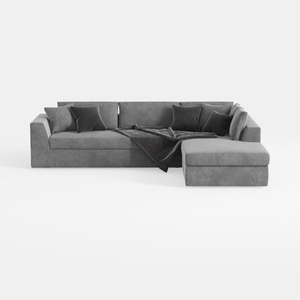
Minimalist Gray Fabric Sectional Sofa with Throw Pillows and Blanket 3D Model
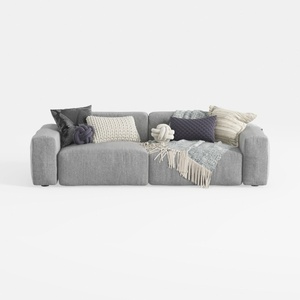
Minimalist Fabric Large Sectional Sofa with Decorative Pillows 3D Model
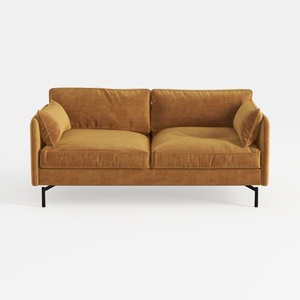
Modern Velvet Upholstered 2 Seater Sofa With Black Metal Legs 3D Model
If you're looking to transform your home with ease, try Homestyler! This intuitive online design platform offers a sleek design tool, stunning 3D renderings, a plethora of design projects, and helpful video tutorials. Create your dream space effortlessly, whether you're a beginner or a pro!
Diseño ahora GRATIS
































