


Designing a 3D fighter jet model is an exhilarating endeavor that integrates technology, creativity, and meticulous attention to detail. To embark on this project, you will require 3D modeling software such as Blender, 3ds Max, Maya, or SketchUp. Start by collecting reference images of the specific jet you wish to create—side, top, front, and perspective views would be particularly beneficial. You can import these images into your workspace as background images to assist with the modeling process, ensuring accuracy and orientation.
Begin by establishing the fundamental shapes: employing primitive forms such as cubes and cylinders to outline the fuselage, wings, and tail of the jet. As you progress, refine these shapes using techniques like extrusion, beveling, and edge-looping to replicate the contours from your reference images. Special attention should be devoted to the cockpit canopy, air intakes, and weapon mounts, as these features are crucial for making your model recognizable. After finalizing the primary structure, you can incorporate secondary elements such as landing gear, ordinance, and panel lines to enhance realism.
Once the modeling phase is complete, the next step involves applying materials and textures to enhance the realistic appearance of your creation. Make sure to unwrap the UVs accurately so that panel lines, insignias, and camouflage patterns align properly on the surface. Good lighting and a thoughtfully designed environment will further highlight your finished jet, presenting it in the most favorable light. For those aiming to create ultra-realistic renderings, consider how tools like Homestyler can elevate your projects exponentially.
As a designer, I cannot emphasize enough the importance of strategic planning and iterative refinement during this journey. Initiate with a clear vision for your project, decompose complex shapes into manageable segments, and do not hesitate to seek guidance from more experienced tutorials or communities dedicated to aircraft modeling. These measures ensure that your model is not only functional but also stands out in both aesthetic appeal and technical prowess.
Tips 1:
Implement mirror modifiers early in the process. By modeling one half of the jet and having the other half reflect changes, you can save a significant amount of time while ensuring symmetry throughout your model.
FAQ
Q: What software is recommended for creating a 3D fighter jet model?
A: Blender is a widely used free option, while 3ds Max and Maya are regarded as industry standards for detailed modeling and rendering tasks.
Q: Where can I find precise reference images for fighter jets?
A: Online databases that specialize in aircraft blueprints and communities focused on scale models usually feature highly detailed, multi-angle diagrams of various military aircraft.
Q: Is it necessary to be proficient in drawing to create a 3D fighter jet model?
A: While drawing skills can aid in visualization, they are not mandatory—what matters more is your patience and familiarity with the 3D modeling software you use.
Q: What can I do to enhance the realism of my 3D fighter jet model?
A: Utilizing high-resolution textures, being attentive to real-life material characteristics, and setting up realistic lighting and camera angles are all essential for rendering lifelike images.
Q: Is it possible to animate my 3D fighter jet model?
A: Certainly! Most 3D modeling software provides capabilities to rig and animate components such as control surfaces, landing gear, and weapons bays, allowing for more dynamic visual presentations.


Mid Century Modern Rattan Velvet Office Chair 3D Model

Minimalist Solid Wood Office Desk and Woven Armchair 3D Model
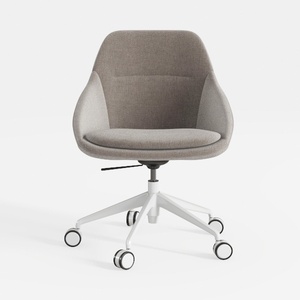
Minimalist Fabric Office Chair with White Metal Base 3D Model
Looking to transform your home? Homestyler is your go-to online home design platform! With its user-friendly design tool, stunning 3D renderings, diverse design projects, and helpful DIY video tutorials, you can easily create and visualize your dream spaces. Start designing today!
Diseño ahora GRATIS
































