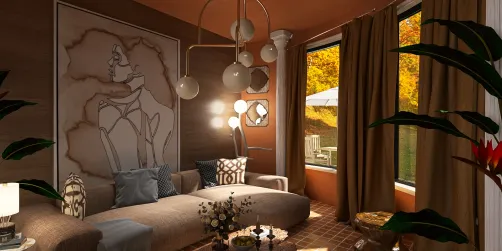
Designing breathtaking interior visuals in 3ds Max with V-Ray can profoundly transform your projects. By selecting the appropriate rendering parameters, you can significantly improve the quality of your images while streamlining the rendering process. Below is a comprehensive guide that will assist you in achieving remarkable results.
Key Render Parameters for V-Ray Interior
Incorporating the following adjustments when crafting interior designs with 3ds Max and V-Ray will lead to more lifelike and visually appealing renders:
Refine the image sampling configurations to boost the excellence of your final output:
Employing Global Illumination (GI) is vital for achieving realistic illumination:
Elevate the atmosphere of your interiors through effective environment configurations:
Lastly, configure your output settings to guarantee top-notch renders:
Final Recommendations for Enhanced Rendering
For optimal outcomes, consider the following tips:
Frequently Asked Questions
Q: What lighting arrangement is optimal for interior renders? A: For well-balanced lighting, merge natural daylight from windows with artificial light sources such as spotlights and ambient lighting.
Q: What strategies can I use to minimize render times while maintaining quality? A: Fine-tune your V-Ray configurations by adjusting the image sampler, limiting light bounces, and employing proxies for complex models.
Discover the No.1 home design software to elevate your projects with tools like Homestyler that simplify the rendering process and improve the overall design experience.
























![Design [4]](https://hs-designs.homestyler.com/production/design/images/07c2de3a-88ec-4be8-8910-ff255b795bc2/1731419398293/7841697.jpg?x-oss-process=image/resize,w_502,m_mfit/format,webp)