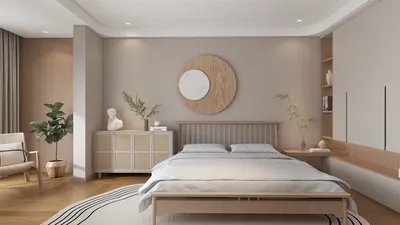
Elevating your design presentations can be achieved through rendering your SketchUp model with Homestyler. If you're aiming to create highly realistic images, it is essential to grasp the rendering process thoroughly. This guide outlines a systematic approach to effectively render your SketchUp models using V-Ray 2017 alongside Homestyler for an enhanced experience.
Getting Started with Homestyler and V-Ray 2017
Before diving into rendering, make sure V-Ray is correctly installed and integrated into your SketchUp setup. Here’s how to ensure that everything is ready for use:
Preparing Your SketchUp Model for Rendering
Success in rendering begins with thorough preparation of your model. Here are some strategies to optimize it:
Setting Up the V-Ray Render Options
Once your model is ready, the next step is to fine-tune the V-Ray render settings for optimal results:
Incorporating Lights and Materials
Achieving lifelike results greatly depends on the lighting and materials you select:
Rendering Your Model with V-Ray and Homestyler
When everything is in place, it's your moment to render the model using both V-Ray and the features offered by Homestyler:
Post-Processing Recommendations
Following the rendering process, consider some enhancements to further improve your images:
Conclusion
Using V-Ray 2017 in conjunction with Homestyler can transform your rendering tasks into an engaging experience that significantly boosts your design presentations. With consistent practice, you'll discover the ideal settings suited for your specific projects.
Frequently Asked Questions
Q: What is the most effective method to enhance image quality in V-Ray? A: Elevating quality settings in the Render Options, utilizing higher-resolution textures, and ensuring adequate lighting will greatly improve your render quality.
Q: Is V-Ray compatible with software other than SketchUp? A: Absolutely, V-Ray can be used with various software including 3ds Max, Rhino, and Maya.
Q: How long does it typically take to render an image in V-Ray? A: Rendering time varies due to the complexity of the scene, the selected settings, and your hardware capabilities.
Welcome to the Best Home Design Software Experience










































