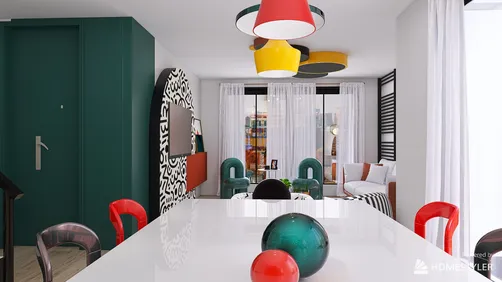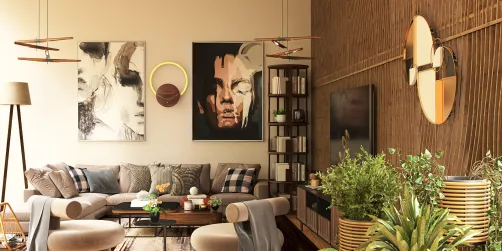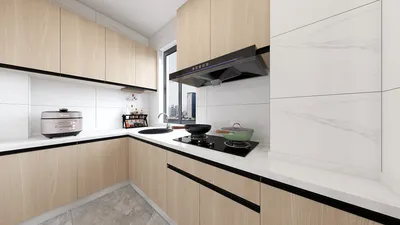
Designing the ideal interior layout is crucial for any project, whether you are an experienced designer or a passionate beginner. A thoughtfully constructed floor plan not only maximizes the utility of your area but also elevates the aesthetic value of your interiors. In this article, we will delve into the essential components of a successful floor layout, provide strategies for organizing your space effectively, and inspire you to kickstart your upcoming design venture with tools like Homestyler.
To create an effective floor plan, start by defining the room's purpose. Are you crafting a cozy living room, a practical kitchen, or a welcoming office? Each space comes with specific needs, and recognizing these will aid your design choices. Begin by noting the activities that will occur in the room along with the necessary furniture. For instance, a living area may need seating, a coffee table, and entertainment elements, while a kitchen will require appliances, countertops, and storage solutions.
The next step involves accurately measuring the room dimensions. This is vital for producing a scaled floor plan. Be sure to mark the positions of doors, windows, and any structural features that might influence your layout, such as columns or built-in shelving. Utilizing tools like graph paper or digital design software, including Homestyler, can significantly help you visualize your layout effectively.
With your measurements in hand, you can start to position your furniture. Pay attention to how people will move within the area; it's important to ensure there is sufficient space for comfortable navigation. A common guideline suggests leaving at least 2-3 feet of space between furniture pieces to facilitate easy movement. Consider creating defined zones within the room, especially in larger areas, to allocate different spaces for various activities.
Moreover, focus on achieving balance and harmony in your design. This involves evenly distributing visual weight across the room. You can create balance by varying the sizes and shapes of your furniture and making sure no particular area appears too heavy or cluttered. The use of color and texture is also crucial in establishing visual interest and coherence in your floor plan.
Lighting is another vital component of your design. Natural light can significantly impact how a room feels, so consider window placement and its effect on the layout. Incorporating various lighting types—ambient, task, and accent—can elevate the ambiance and functionality of your space.
Don't overlook storage solutions; an effective floor plan should incorporate sufficient storage options to maintain organization and reduce clutter. Think about built-in shelves, cabinets, or multi-purpose furniture that can serve dual roles. This not only maximizes your space but also contributes to a tidy and stylish appearance.
Once your floor plan is finalized, take a moment to visualize the entire area. Step back and evaluate whether the layout aligns with your needs and expectations. You may find that certain adjustments are needed to achieve the desired results. Feel free to experiment with various arrangements until you discover the ideal setup.
Inspiration can be found in numerous places, such as design magazines, online platforms, or even visiting friends' homes. Explore a range of styles and trends to see what resonates with you. Platforms like Homestyler offer access to a vast collection of furniture models and design concepts, simplifying the process of bringing your ideas to fruition.
Tips 1:
Leverage digital design tools to visualize your floor plan in 3D, enabling you to see the interaction of different elements within the space.
FAQ
Q: What software can I use to create a floor plan? A: There are numerous tools available, including Homestyler, SketchUp, and AutoCAD, each catering to different skill levels and offering unique features.
Q: How can I determine if my layout is functional? A: To assess functionality, walk through the space as if you are using it, ensuring that everything is easily reachable and comfortable.
Welcome to Homestyler
























![Design [4]](https://hs-designs.homestyler.com/production/design/images/07c2de3a-88ec-4be8-8910-ff255b795bc2/1731419398293/7841697.jpg?x-oss-process=image/resize,w_502,m_mfit/format,webp)