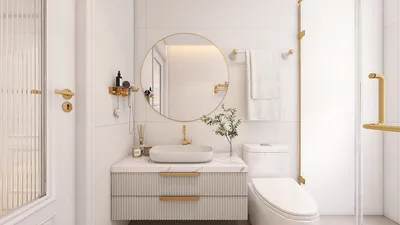


Designing a 3D classroom model is an excellent method to visualize and arrange an educational environment. Whether you're an educator, an interior decorator, or a student eager to present your concepts, this comprehensive guide will lead you through the necessary steps. The essence of a remarkable 3D classroom model lies in your meticulous attention to detail and innovative spirit.
Understanding Your Space:
Before you embark on the design journey, grasping the dimensions and layout of your classroom is crucial. Take precise measurements of the area, including windows, doors, and any structural features. Reflect on how these components will influence the classroom's dynamics. Which furniture will align best with the intended use of this area? Utilizing actual dimensions guarantees that your model remains functional.
Choosing the Right Software:
Numerous software options are available for crafting 3D models, ranging from simple applications to more advanced programs. Notable selections include SketchUp, Blender, and Homestyler. These platforms allow for precise design and the inclusion of details like textures, colors, and lighting. Which software aligns best with your expertise? Select a platform that corresponds to your skill level and design aspirations.
Adding Furniture and Features:
Once your fundamental structure is established, it's time to populate the classroom with furniture and vital features. Think about incorporating desks, chairs, bookshelves, and a teacher's desk. Additionally, include technological tools such as projectors and computers! Ensure your layout supports collaboration and movement. Will the desks be set up for group activities, or is a classic arrangement more to your liking? Your decisions will significantly shape the classroom atmosphere.
Enhancing with Textures and Colors:
With the basic layout and furniture in place, now is the right moment to infuse textures and colors to enliven your model. Opt for a color palette that fosters learning and creativity. Soft hues can create a soothing environment, while vibrant colors inject energy into the space. Incorporate textures like wood for tables and fabric for seating to enhance the model's realism. How do your selected colors and materials represent the classroom’s objective?
Final Touches and Presentation:
Before you finalize your model, take a moment for a thorough review of your design. Verify scale consistency, make necessary adjustments, and include decorative elements like plants or artworks that encapsulate your classroom’s educational values. Have you imagined how this model will be showcased? Think about creating a virtual tour or visual renderings for a more engaging presentation.
Showcasing Your Model:
Once you’re pleased with your 3D classroom model, it’s time to display it! Whether you're presenting it in class, entering it in a design competition, or sharing it online, ensure to emphasize the distinctive features that render your classroom both practical and welcoming. What advantages does your audience gain from this design?
FAQ
Q: What is the best software for creating a 3D classroom model? A: Popular choices encompass SketchUp for novices, Blender for advanced users, and Homestyler for those in search of user-friendly interfaces.
Q: How can I ensure my model is realistic? A: Use precise measurements, appropriately scale the furniture, and integrate authentic textures and colors.

Nordic Minimalist Single Person sofar Tiger Chair


Round Oak Wood 60 in. Column Base Dining Table Sea
Homestyler makes home design easy and enjoyable for everyone! With its user-friendly online design tool, stunning 3D renderings, and a wealth of DIY video tutorials, you can effortlessly create your dream space. Dive into inspiring design projects and transform your ideas into reality!
Diseño ahora GRATIS
































