


Creating your own floor plan can be an exhilarating and satisfying endeavor, particularly when you can do it without any cost! Whether you're envisioning your dream home or looking to revamp your existing space, a meticulously planned layout is crucial. Thankfully, various resources and tools make it possible for anyone to design their floor plans, even without prior skills. In this article, we will delve into how you can design your floor plan for free, along with key considerations to keep in mind. First and foremost, selecting software that matches your requirements is essential. Numerous online platforms offer complimentary floor plan design tools that are both user-friendly and feature-rich. Options such as Homestyler and Planner 5D provide easy-to-navigate interfaces and a plethora of templates to kickstart your project. These tools enable you to drag and drop furniture, walls, and other components, allowing for a 3D visualization of your area. Start by creating a free account on one of these platforms and explore its myriad features available to you. Once you’ve picked a tool, initiate the process by sketching a rough draft of your desired layout on paper. Contemplate the flow of movement within the space, door and window placements, and how different areas will function. Reflect on your lifestyle and your use of space; for example, an open-concept living area might be perfect if you often host gatherings, while a dedicated office space may be necessary if you work from home. Then, take that rough sketch and translate it into a digital floor plan. Most design applications allow you to enter the dimensions of your area, resulting in a more accurate depiction. Utilize the drag-and-drop features to incorporate walls, doors, and windows, and explore various configurations until you discover one that suits your vision. While designing, it’s vital to maintain attention to scale. Ensuring that your furniture and appliances fit properly within your design is crucial. Typically, floor plan tools include libraries of furniture items complete with accurate dimensions, assisting you in visualizing how everything will coexist in real life. Furthermore, consider how natural light flows into your space. Strategically positioning windows and doors can significantly enhance your home’s openness and warmth. Think about how sunlight travels throughout the day and how it interacts with your space. Adding elements like skylights can further elevate your home's overall atmosphere. After finalizing your design, take the time to review and adjust as needed. Navigate through your digital floor plan virtually and visualize how you would move through the area. Identify potential issues such as cramped or awkward layouts, and refine them accordingly. You might also consider sharing your design with friends or family for their insights—they may provide valuable perspectives you hadn’t thought of! Finally, leverage the 3D visualization features offered by your chosen platform, such as Homestyler, to see your design come to life. This feature allows you to assess how various components interact and provides a sense of the overall aesthetic of your space. Experimenting with different color schemes and materials can also guide you in making well-informed decisions before implementing any physical changes. In summary, designing your own floor plan for free is entirely feasible and can be an enjoyable journey. By utilizing the right tools, reflecting on your personal requirements, and remaining open to experimentation, you can craft a space that perfectly embodies your style and enhances your lifestyle. So, pick up your sketchbook, log into your preferred design tool, and get started on crafting your unique floor plan today!
Tips 1:
Ensure you save your progress regularly as you make changes to protect your work from being lost. Additionally, revisit your design after some time to determine if it continues to fulfill your needs.
FAQ
What are the premier free floor plan design tools available?
Top tools include Homestyler, Planner 5D, and Homebyme.
Is it possible to visualize my floor plan in 3D?
Absolutely, most design software supports 3D visualization of your floor plan.
How can I maintain proper scale in my design?
Utilize the furniture and item libraries in your selected design software, as these come with accurate measurements to guide your layout.
Welcome to Homestyler
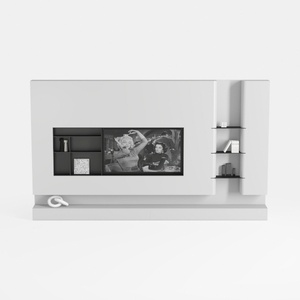
Black/White Wall Cabinet Suitable for Kitchens and
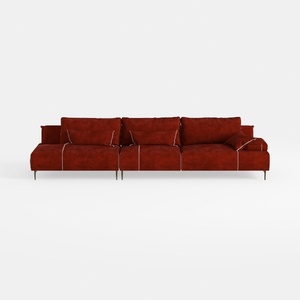

Alexent Oversized Fluffy Sofa Chaise Set 2 Pieces

WILLIAMSPACE 35.98" Round Coffee Table with
Discover the joy of home design with Homestyler! This user-friendly online platform offers a powerful design tool, stunning 3D renderings, and a wealth of inspiring design projects and video tutorials. Bring your vision to life effortlessly—perfect for both novices and pros alike!
Diseño ahora GRATIS
































