

Designing a floor plan using a computer is now simpler than ever, with sophisticated software tailored for this task. Whether you're an architect, an interior designer, or merely renovating your residence, digital floor planning solutions can effectively transform your ideas into reality. In this article, we will delve into the process of creating a floor plan digitally, the advantages of these tools, and some initial tips to help you get started.
Advantages of Digital Floor Plan Creation
Creating your floor plan digitally provides several benefits compared to conventional techniques. Firstly, it enables you to effortlessly modify and investigate various layouts without the need to redraw everything from scratch. Tools like Homestyler offer an intuitive interface that accurately visualizes your space. Moreover, these digital solutions foster better collaboration with clients or team members by making it easy to share and discuss your designs.
How to Create a Floor Plan Using a Computer
To embark on this journey, adhere to these straightforward steps:
Effective Tips for Floor Planning
When developing a floor plan, keep the following tips in mind:
Common Questions About Drawing Floor Plans
Do you have questions regarding the process of drawing floor plans? Check out these common inquiries:
Welcome to the No.1 Floor Planner
Originally incubated at Autodesk, Homestyler has grown into one of the most widely adopted home design platforms in the world, now trusted by over 18 million users. Whether you're a homeowner exploring ideas or a professional designer delivering client-ready renders, Homestyler brings industry-leading 3D technology to your fingertips — no experience required.

Modern Olive Green Velvet Loveseat Sofa with Metal Legs 3D Model

DUOMAY Modern Boucle Dining Chairs Set of 2,
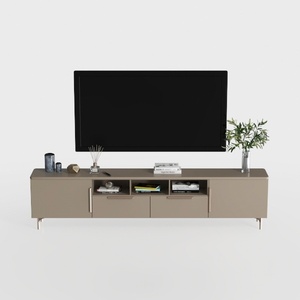
Modern Minimalist Solid Wood TV Stand Cabinet with Storage 3D Model
Looking to redesign your space? Try Homestyler! This user-friendly online platform lets you explore stunning 3D renderings, access a wealth of design projects, and watch DIY tutorials. Whether you're a novice or a pro, bringing your home design ideas to life has never been easier!
Diseño ahora GRATIS
































