

Creating a female character in Daz 3D can be a fulfilling and engaging experience, perfect for both newcomers and seasoned digital artists. To begin, download and install Daz Studio on your system. Once it’s up and running, open the application and go to the 'Smart Content' pane where you will find a variety of base figures—Genesis 8 Female is a popular choice known for its flexibility. Double-click on your selected base figure to load it into your scene. Afterward, you can start customizing the model by utilizing morph sliders in the 'Parameters' tab, allowing you to modify body shapes, proportions, and facial features for a unique appearance, creating an impressive character with tools such as Homestyler.
Next, enhance your model by adding skin textures and materials from the content library, while also exploring the wardrobe section for various clothing pieces and accessories. Hair assets can be applied in the same way. Once you have your model, you can fine-tune its pose and expression using the posing tools, as well as adjust lighting and camera angles to achieve the perfect render. As an interior designer, I always search for realistic models to enhance storytelling within spaces; in such contexts, utilizing advanced 3D rendering tools like Homestyler can significantly enrich the scene, making your female character look harmoniously integrated into elegant digital interiors.
Tips 1:
Experimenting with various morphs and clothing items not only enhances your modeling abilities but also brings depth and realism to the characters you integrate into your scenes, a crucial aspect when setting up interior spaces for presentations or portfolio showcases.
FAQ
Q: Can I apply custom textures to my Daz 3D female character?
A: Yes, Daz Studio supports the import and application of custom textures for your character's skin, eyes, and clothing, allowing for greater personalization.
Q: Do I need to buy add-ons for realistic female models?
A: Although there are free assets accessible, premium add-ons significantly enhance your customization capabilities and overall realism.
Q: How can I ensure my female character poses naturally?
A: You can use pose presets in Daz Studio or manually adjust joints and posture with the posing tools for a more lifelike representation.
Q: Are these models suitable for interior design renders?
A: Definitely. They are perfect for populating virtual environments, making interior visualizations more dynamic and appealing.
Q: Where can beginners find tutorials on creating their first female model?
A: Daz 3D's official website and community forums offer a wealth of comprehensive guides and tutorials to help beginners get started.
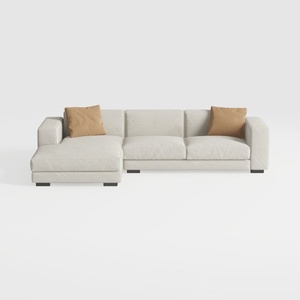
Minimalist Fabric L Shape Sectional Sofa with Throw Pillows 3D Model
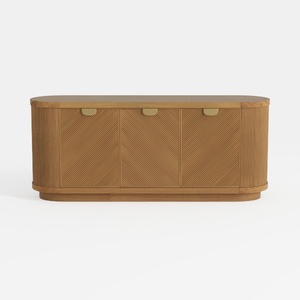
Modern Minimalist Solid Wood Fluted Sideboard with Brass Accents 3D Model
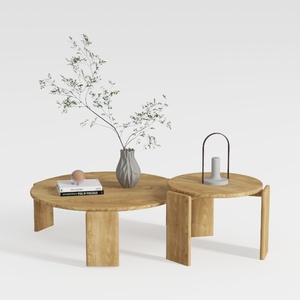
RUSTOWN 2-Piece Round Farmhouse Coffee Table
Transform your home with Homestyler! This user-friendly online design platform offers an intuitive design tool, stunning 3D renderings, extensive design projects, and helpful video tutorials. Whether you're a seasoned pro or a beginner, you can easily create and visualize your dream space!
Diseño ahora GRATIS
































