Crafting a 3D representation of a pomegranate can prove to be an enriching task for digital artists, design students, or professionals aiming to develop captivating visual content. To ensure a lifelike outcome, it’s crucial to consider the distinctive shape, texture, color, and internal characteristics of the pomegranate. Below is a detailed guide for modeling a pomegranate using various 3D software, such as Blender, 3ds Max, or Maya:
As an interior designer, I recognize the significant benefit of incorporating hyper-realistic fruit models, including pomegranates, in virtual home staging or kitchen renderings. These elements enhance the authenticity and warmth of digital environments. If you're eager to simplify the creation and showcasing of such intricate objects, leveraging a powerful platform like Homestyler can help you import, stage, and render your pomegranate in an impressively photorealistic home setting with ease.
Tips 1:
To achieve greater realism, consider utilizing photogrammetry techniques to scan a real pomegranate if you have access to a suitable camera and software. This technique captures the natural variations in color and surface textures that manual modeling might overlook. Moreover, it’s essential to assess your model under different lighting conditions; real-world objects appear distinct under varied circumstances, and your 3D models should reflect that diversity.
FAQ
Q: Which software is ideal for 3D pomegranate modeling?
A: Popular options include Blender (which is free and open-source), Autodesk Maya, and 3ds Max. Each software is equipped with tools that facilitate sculpting, modeling, and rendering organic forms.
Q: What techniques can I use to create realistic seeds?
A: Employ glass or translucent materials that feature Subsurface Scattering. Model various seed shapes and distribute them within the internal structure to achieve a natural and inconsistent look.
Q: Can I use free textures for my 3D pomegranate?
A: Absolutely. Websites such as Texture Haven or Poliigon provide high-quality, free photorealistic textures that you can apply, or alternatively, you can capture and modify your own textures.
Q: Is it feasible to 3D print my pomegranate model?
A: Yes, however, make sure to simplify the details beforehand. Export your model in STL format, ensure it is watertight (without holes), and use slicing software that is compatible with your 3D printer.
Q: What’s the best way to showcase my pomegranate in a kitchen scene?
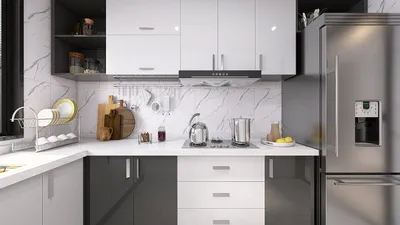
A: You can import the model into an interior design or visualization program, place it on a countertop, and modify the lighting to enhance the ambiance. Platforms focusing on 3D rendering for home design, such as Homestyler, make this process effortless.

Homestyler is your go-to online home design platform, perfect for turning your ideas into reality. With its easy-to-use design tool, stunning 3D renderings, inspiring design projects, and helpful video tutorials, you'll effortlessly create the space of your dreams—no prior experience needed!