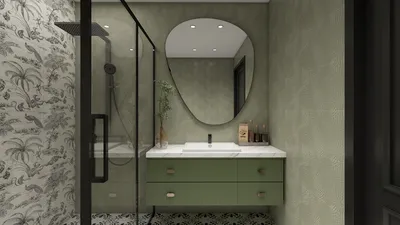
Designing a 3D vase can be an exciting and fulfilling endeavor. Whether you are just starting out or have significant experience, this comprehensive guide will help you transform your vase concept into a tangible model. We will emphasize using intuitive and yet robust software tools to enhance your 3D modeling experience, with a special focus on Homestyler for its user-centric features.
Step 1: Select the Right Software
Start by choosing the 3D modeling software that suits your needs. Options like Blender, Tinkercad, and Fusion 360 are popular among users. Each software has distinct characteristics; however, Blender is particularly celebrated for its flexibility and superior rendering capabilities. When choosing, ensure that the software you select matches your skillset and the specific needs of your project.
Have you previously worked with any of these programs, or are you embarking on your first experience? Knowing your familiarity with these tools will provide you with confidence as you begin your modeling journey!
Step 2: Begin with Basic Shapes
Once you've launched your preferred software, kick off your project with fundamental shapes. Typically, you can start with a cylinder or sphere to form the basis of your vase. Adjust these foundational shapes as necessary to capture the intended proportions for your design.
Why is it vital to start with basic forms? This approach allows you to concentrate on the overall silhouette before getting into the finer details, ensuring that your design has a strong foundation!
Step 3: Refine the Shape
After you create your basic structure, use features like extrusion, scaling, and rotation to shape it into the vase style you envision. Play around with curves and angles to infuse your model with a distinct character.
Can you picture which features you would like to add to make your vase unique? Consider elements such as patterns, height, and width; these features can greatly affect the final design!
Step 4: Incorporate Details and Textures
With the shape finalized, it's time to enrich your creation with details such as engravings, patterns, or textures. You can utilize various modeling tools within your software, adding depth and personality to your vase's design.
What types of textures do you think would elevate the look of your vase? Reflect on qualities such as smooth versus matte finishes and how textures influence light reflection to enhance visual appeal!
Step 5: Render Your Creation
After finalizing details, it's important to render your model to visualize how it blends into a lifelike environment. Modify lighting and background settings to effectively present your vase. High-quality rendering gives your model a sense of realism and depth, making it much more attractive.
Have you considered how lighting can alter the perception of your design? Effective lighting can beautifully highlight intricate details that a flat image may miss, truly bringing your vase to life!
FAQ
Q: Which software is best suited for novices aiming to create a 3D vase model? A: Tinkercad is often praised for beginners thanks to its intuitive interface and simple toolset, which makes the modeling process accessible.
Q: Is it possible to print my 3D vase model? A: Absolutely! Just ensure your model has a manifold structure and export it in a suitable format for 3D printing, such as STL or OBJ.
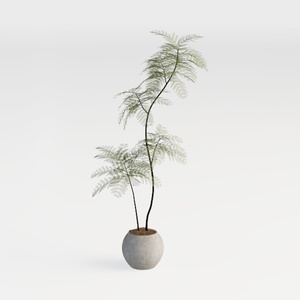
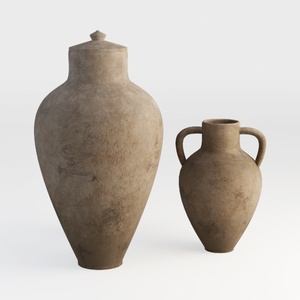
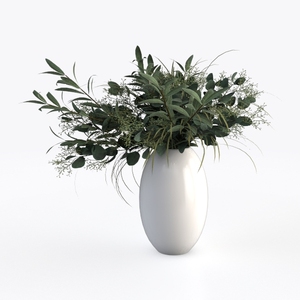
Homestyler is your go-to online home design platform! With its intuitive design tool, stunning 3D renderings, and a wealth of DIY video tutorials, you can effortlessly create your dream space. Explore endless design possibilities and bring your vision to life with ease!























































