


Clip Studio Paint is well-known for its impressive features in illustration, comics, and animation, but a common question among users is its capability for sculpting 3D models. Whether it's suitable for you largely depends on your specific workflow and what you aim to achieve. While Clip Studio includes a 3D object tool that allows for importing, posing, and rendering 3D models to use as references for your drawings, it lacks true sculpting capabilities found in software designed specifically for that purpose such as ZBrush or Blender. You cannot directly manipulate meshes or sculpt organic details in Clip Studio Paint.
The 3D capabilities of Clip Studio are primarily focused on working with existing 3D assets rather than creating new ones. You can adjust poses, experiment with camera perspectives, and modify lighting to enrich your artwork, but generating or sculpting new 3D models falls outside of its functionalities.
For those interested in sculpting, especially when it comes to custom digital models or creating appealing interiors, it is advisable to explore leading 3D modeling software. After crafting your designs, you can import these models back into Clip Studio for use as art references or to enhance your composition. In my experience as a designer, I often create detailed room layouts using advanced 3D modeling tools and then integrate them into my workflow for further artistic development. For instance, when bringing interior design concepts to life, I prefer using tools that allow for intuitive scene construction—like 3D Floor Planner software, which offers significantly more control and flexibility compared to the limited 3D importing features of Clip Studio.
Tips 1:
For artists seeking to achieve a fluid transition between 2D sketches and 3D visualizations, it is beneficial to pair specialized sculpting software with illustration tools. Start by sculpting your core model in a dedicated platform, then export it for detailing or presentation in Clip Studio. This approach facilitates an effective bridge between creative vision and technical execution, particularly in the field of interior design where accuracy and visual storytelling are paramount. Tools like 3D Floor Planner become essential, serving both professionals and enthusiasts who want to elevate their design process.
FAQ
Q: Can Clip Studio Paint sculpt 3D models from the ground up?
A: No, Clip Studio Paint is tailored for importing and positioning pre-existing 3D assets rather than enabling mesh sculpting or creating digital sculptures from scratch.
Q: What kind of 3D support does Clip Studio provide?
A: It allows you to import, pose, scale, and adjust lighting on 3D models for reference and overlay use, but it does not facilitate any mesh editing or sculpting processes.
Q: Which software should I consider for actual 3D sculpting?
A: Software dedicated to 3D sculpting and modeling such as Blender, ZBrush, and Autodesk Maya are recommended for detailed work.
Q: Is it possible to blend 3D sculpting into Clip Studio workflows?
A: Absolutely! You can sculpt your models using specialized tools and then import the finalized products into Clip Studio Paint for additional referencing or artistic enhancement.
Q: Is Clip Studio’s 3D object tool suitable for visualizing interior designs?
A: While it can serve basic reference purposes, for comprehensive spatial modeling and detailed interior visualization, tools like 3D Floor Planner will provide you with greater accuracy and versatility.
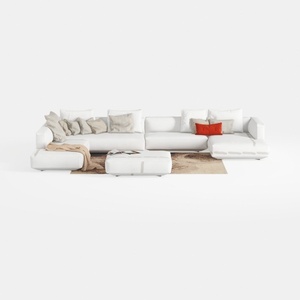
Oversized Sectional Sofa 9 Seater Large U Shaped
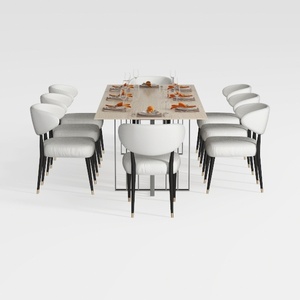
GarveeHome Natural Rattan Dining Chairs Set of 2

Acme Pelton Fabric Loose Back Sofa with Pillows
Discover your home's potential with Homestyler! This user-friendly platform offers a powerful online design tool, stunning 3D renderings, and vast design projects. Enhance your creativity with helpful DIY video tutorials, making it easy to transform your space into your dream home, regardless of experience!
Diseño ahora GRATIS
































