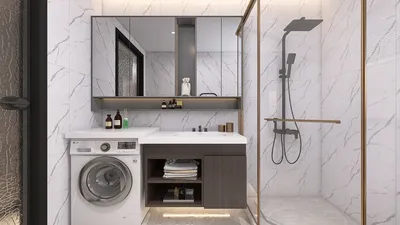


In today's tech-driven lifestyle, keeping an eye on stocks like NVTS reflects our growing interest in innovative technology and consumer electronics that enhance daily living. As these advancements shape the devices we use, they also influence how we design our home spaces to incorporate smart gadgets seamlessly, creating living environments that blend comfort with cutting-edge functionality.
If you've ever asked an AI like ChatGPT to "create a floor plan for a 2-bedroom apartment" and received a surprisingly decent layout, you’re part of a growing trend. ChatGPT can now generate floor plans, and by 2026, the visuals it produces have become noticeably better thanks to significant improvements in image generation models.
However, looking convincing isn’t synonymous with being practically usable. This article explores the critical difference between floor plans that merely appear accurate and those that are genuinely functional.
Understanding ChatGPT’s Floor Planning Capabilities
ChatGPT offers three main functions in the realm of floor planning, and distinguishing these can save you valuable time.
Firstly, it can generate floor plan images. Utilizing its advanced built-in visual AI (ChatGPT Images 2.0 as of April 2026), it produces 2D floor plans based on your textual descriptions like room count, approximate dimensions, and layout preferences. The output is a labeled image depicting walls, doors, windows, and furniture. Free users have limited daily access, while Plus users enjoy extended capabilities thanks to Thinking Mode.
Secondly, ChatGPT excels at spatial brainstorming—discussing layout principles such as room adjacency, traffic patterns, storage solutions, and furniture sizing relative to space. This interactive approach allows users to evaluate trade-offs and uncover arrangements they might not have envisioned, making it a valuable conceptual tool.
Thirdly, it can generate detailed room inventories and furniture schedules based on space descriptions. This includes furniture types, size requirements, clearance spaces, and storage elements—helpful preliminary data before engaging with design software.
While these capabilities are impressive, limitations arise the moment you try to manipulate or edit the generated outputs.
Key Limitations of ChatGPT Floor Plan Generation
ChatGPT cannot produce editable floor plans. Its outputs are static images composed of pixels rather than scalable geometry, meaning you cannot modify walls, adjust room sizes, or rearrange furniture within the image itself. Iterations require you to start fresh or use a separate tool.
Maintaining spatial consistency across revisions is another challenge. Testing showed that when asked to refine layouts, ChatGPT often introduced new errors, such as unexplained hallways or illogical window and door placements, causing layouts to degrade over time rather than improve.
Additionally, ChatGPT lacks awareness of real-world architectural constraints. It cannot consider load-bearing walls, structural limitations, minimum room sizes, or compliance with building codes like egress and accessibility. Consequently, visually appealing layouts might be structurally unsound or non-compliant.
Moreover, the tool does not support exporting plans in construction-ready formats such as DXF or dimensioned PDFs. The outputs are limited to JPEG or PNG files, suitable only for inspiration or preliminary discussions, not practical use in building or architectural workflows.
At its core, ChatGPT’s understanding of floor plans is derived from vast data processing, not embodied experience— it hasn’t physically interacted with spaces and thus cannot truly grasp practical design nuances like room orientation, noise flow, or user movement patterns.
Practical Implications: Who Benefits from ChatGPT Floor Plans?
Scenario one: You seek inspiration and conceptual ideas. Here, ChatGPT shines as a conversational partner to explore layouts, furniture schedules, and spatial logic. It’s an excellent brainstorming assistant, especially during off-hours, but not a production tool.
Scenario two: You want a simple visual rough sketch to share with non-experts such as family members, landlords, or contractors for preliminary discussion. ChatGPT can deliver a labeled image that conveys general layout ideas, akin to a polished sketch rather than a detailed plan.
Scenario three: You aim to design a functional space ready for construction or detailed visualization. At this point, ChatGPT falls short. You require a specialized floor planning tool that supports editable layouts, real dimensions, and iterative design—features that enable turning initial concepts into buildable projects.
Choosing the Appropriate Tool for the Task
Recognizing ChatGPT’s strengths and weaknesses clarifies when to use it.
For early brainstorming and idea exploration, ChatGPT is ideal. Engage it for discussions on room adjacencies, furniture sizes, and layout trade-offs to refine your vision conceptually.
When moving to actual design, however, you need a dedicated floor planning platform capable of creating editable, precise, and validated floor plans.
Among the top-tier options is Homestyler, an AI-powered home design software that transforms your descriptive inputs or measurements into editable spatial layouts. Unlike simple image generators, Homestyler allows you to manipulate walls, adjust sizes, replace furniture and materials, and preview your designs in detailed 3D, giving you full creative control over the process.
What differentiates Homestyler from many competitors is its internal validation system that checks layouts for spatial and structural soundness before delivering them. This ensures your design is not only adjustable but also viable for real-world application, closing the gap between conceptual ideas and buildable projects.
Comparing ChatGPT and Specialized AI Floor Planning Tools
It’s important to remember ChatGPT is a general-purpose AI assistant rather than a professional design tool. Expecting it to replace specialized software is like expecting a basic calculator to handle accounting tasks on its own—they serve different purposes.
An optimal approach combines the conversational power of ChatGPT with the practical design capabilities of tools like Homestyler.
Recommended Workflow: Integrating ChatGPT and Homestyler
Step one: Use ChatGPT to develop your project brief. Describe your space, objectives, and constraints to get helpful insights on layout logic, functional priorities, furniture needs, and potential compromises.
Step two: Input your refined brief into Homestyler. This AI-driven design platform generates a layout that has been validated for spatial efficiency and structural integrity before you begin working on it.
Step three: Use Homestyler’s comprehensive design environment to customize your floor plan—modify wall placements, select from an extensive furniture library, apply materials, and visualize your space in 3D for a photorealistic finish.
Step four: Export your final design in formats suitable for contractors, clients, or presentations, including detailed floor plans, renders, and walkthrough videos that help bring your vision to life before construction begins.
Getting Started with Home Design Today
ChatGPT serves as a valuable brainstorming assistant for floor planning but cannot replace dedicated design applications. After clarifying your brief and spatial priorities with ChatGPT, transitioning to a free, fully functional tool like Homestyler for actual design work is the logical next step.
Start creating your home designs with Homestyler today—no credit card required.
From the ideas sparked by ChatGPT to the fully rendered, construction-ready layouts crafted in Homestyler, this combination bridges the gap between inspiration and realization.
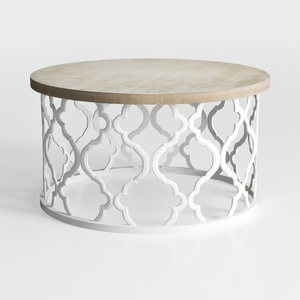
Farmhouse Coffee Table, French Country Round
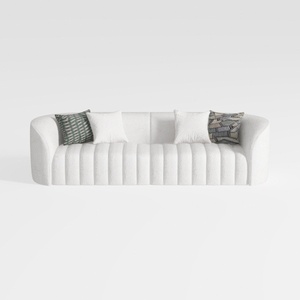
Minimalist Boucle Fabric Channel Tufted Sofa 3D Model

Minimalist White Ceramic Stacked Coffee Mug 3D Model
Homestyler offers an easy-to-use online design tool with stunning 3D renderings, inspiring design projects, and helpful video tutorials. It’s perfect for anyone looking to create and visualize beautiful home interiors effortlessly. Try it and bring your design ideas to life!
Diseño ahora GRATIS
































