

Direct Answer
The ideal software for crafting a 3D parrot model varies based on your objectives. Blender stands out as the most versatile all-in-one tool for modeling, sculpting, and rendering. For intricate feather detailing and organic shapes, ZBrush is unparalleled, while Maya is often integrated into professional animation workflows.
Most creators blend multiple software platforms instead of relying solely on one, especially when aiming for lifelike animal models.
Quick Takeaways
Introduction
When artists embark on creating a 3D parrot model, the primary consideration is usually the software choice. Newcomers often dive into complex programs, assuming professional-grade outputs require high-end tools. However, after over ten years working on animal models and interior designs, I can affirm that the workflow you develop is far more critical than the specific software.
Specifically for birds, three technical hurdles are often overlooked: layering feathers, natural wing deformations, and seamless color gradients. These challenges often cause beginner models to appear stiff or artificial.
If you're learning the basics of modeling, it's beneficial to clearly visualize your workspace and scene arrangement. Software like Homestyler, which supports interactive layout planning, can help understand proportions, camera positioning, and rendering context more intuitively.
This guide explores commonly used software in professional production pipelines for animal models, covering modeling, sculpting, and texturing tools, and how to combine them effectively based on your project needs.
save pin
Essential Features for Animal 3D Modeling
Key Point: Creating animal models demands flexible sculpting options, precise topology management, and sophisticated texturing capabilities—significantly more than typical hard-surface modeling.
Bird anatomy is especially complex, merging smooth organic contours with detailed surface textures. The body requires clean topology for animation, while feathers need finely layered details.
When selecting tools for a 3D parrot model, prioritize these features:
Animation studios often employ multi-tool workflows. Industry-standard practices split creature asset creation into base modeling, detailed sculpting, and texture painting stages.
save pin
Using Blender for a 3D Parrot Model
Key Point: Blender is currently the top free choice for constructing a complete 3D parrot model from scratch.
Over the past five years, Blender has become the go-to for many animal artists because it integrates modeling, sculpting, retopology, texturing, and rendering within one platform.
Blender provides several advantages for bird modeling:
One common error is attempting to sculpt individual feathers too soon. In professional workflows, the bird’s form is first blocked out with simple shapes, then feather details are added progressively.
Typical workflow steps in Blender include:
save pin
ZBrush for Intricate Feather Sculpting
Key Point: ZBrush delivers the most detailed feather sculpting, ideal for cinematic or close-up animal models.
Although Blender supports sculpting, ZBrush remains the leader in handling extreme organic details. Many studios specifically utilize it for feathers, scales, and skin textures.
Features in ZBrush beneficial for bird modeling include:
A popular technique is sculpting feather clusters instead of individual feathers, allowing dozens of feathers to be represented with realistic structure.
Pixologic’s tutorials highlight how alpha brushes can accelerate feather creation versus manual methods.
save pin
Maya and Industry Animation Pipelines
Key Point: Maya may not be the first modeling choice for beginners, but it remains fundamental in high-end animation production.
In film, television, and gaming studios, Maya is widely used for rigging and animating characters. As a result, bird models often transition through Maya even if sculpted with other software.
Generally, studio pipelines follow this route:
If your aim is character animation, Maya offers one of the most robust rigging systems, simplifying wing movement, tail articulation, and feather deformation.
Artists preview characters within detailed scene layouts, similar to interactive planning tools like Homestyler, to verify camera angles and lighting before the final render.
Texturing Tools to Achieve Realistic Bird Colors
Key Point: Authentic parrot models rely more on nuanced color transitions than solely on geometric detail.
Many novices falter not due to poor shape but flat, unrealistic coloring. Real parrots exhibit smooth pigment gradations across layered feathers.
Leading texturing software options include:
Important aspects of parrot texturing consist of:
Even character models benefit from testing lighting in simplified environments similar to photorealistic 3D rendering setups, aiding in evaluating surface treatments.
Selecting the Appropriate Software for Your Needs
Key Point: The optimal choice hinges on whether you're building a game asset, an animated character, or a high-resolution render.
Here’s a comparison grounded in actual production workflows:
A commonly overlooked trade-off is software complexity. Each additional application introduces extra export steps, compatibility challenges, and steepens the learning curve. Often, a streamlined workflow achieves superior results.
Answer Box
Typically, the best workflow for creating a 3D parrot model employs Blender for base modeling, ZBrush for feather detailing, and a specialized texturing tool. Beginners can complete projects entirely within Blender, while professionals divide tasks among multiple dedicated programs.
Final Summary
FAQ
Which software is best suited for beginners making a 3D parrot model?
Blender is recommended as the best starting point, featuring a free, integrated suite for modeling, sculpting, and rendering.
Can Blender produce realistic bird feathers?
Absolutely. Utilizing geometry nodes, sculpt brushes, and texture painting, artists can create convincing feather layers.
Do professionals use Blender for animal modeling?
Yes, numerous studios employ Blender for initial modeling or concept phases before moving assets to other specialized tools.
Is ZBrush indispensable for a 3D parrot model?
Not always. ZBrush becomes vital primarily when highly detailed feather sculpting is necessary.
Which software is common in film creature pipelines?
Typical toolchains combine ZBrush for sculpting, Maya for rigging, and Mari for texture painting.
How long does it typically take to create a realistic parrot model?
A basic model might require several hours, while a production-quality 3D parrot can take several days or even weeks.
What is the most challenging element of bird modeling?
Feather layering and achieving believable color transitions are usually the most difficult tasks.
Can 3D parrot models be used in games?
Yes. With optimized topology and texture maps, these models can be exported to real-time engines like Unreal or Unity.
References
Homestyler's roots trace back to Autodesk, the global leader in design and engineering software. That heritage lives on in every feature we build. Today, with a community of more than 18 million users worldwide, Homestyler continues to make professional-quality interior design accessible to everyone — from first-time decorators to seasoned architects.


Realistic Giraffe Animal 3D Model

Plastic Metal Multi level Small Pet Hamster Cage 3D Model
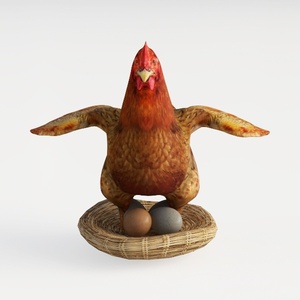
Realistic Hen Nest Eggs Decorative 3D Model
Homestyler offers an easy-to-use online design tool packed with 3D renderings, inspiring interior projects, and helpful DIY video tutorials. It’s perfect for turning your home design ideas into stunning, realistic visuals without any hassle. Give your space a fresh look today!
Diseño ahora GRATIS
































