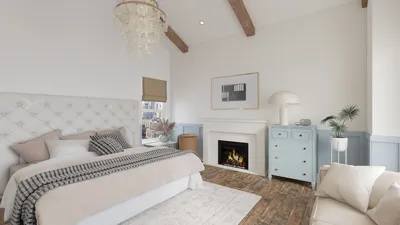


In today’s connected homes, technology plays a vital role in how we relax and entertain ourselves. Services like Discord Nitro and Xbox Game Pass have transformed digital interaction and gaming into immersive social experiences that often extend into our living spaces. Designing a media area or a gaming nook with comfortable seating, optimal lighting, and strategic cable management can enhance these moments, creating a seamless blend of digital convenience and physical comfort.
Uploading a photo of a hand-drawn sketch, a scanned blueprint, or even a smartphone snap of a paper plan now allows AI-powered floor plan recognition to instantly transform it into a neat, editable digital floor plan. Tasks that once demanded hours of meticulous redrawing in CAD software are now accomplished automatically.
This article delves into the workings of this innovative technology, its strengths, limitations, and how it integrates into contemporary design workflows, particularly when utilizing platforms like Homestyler.
Understanding AI Floor Plan Recognition
AI floor plan recognition employs advanced computer vision to analyze images containing floor plans, extracting key structural components such as walls, openings, room boundaries, and measurements, converting them into editable designs.
Inputs can range from photographs of hand-drawn sketches, scanned architectural plans, PDF exports of outdated design files, to smartphone photos of existing environments. The AI processes these inputs, outputting editable digital plans where walls are defined as geometry, openings like doors and windows are identified, and rooms are labeled when legible.
Rather than merely copying an image, the AI reconstructs a fresh, editable floor plan that embodies the spatial logic captured in the original, ready for further modification within design software.
The Three Key Steps in AI Floor Plan Recognition
First, image preprocessing adjusts the input by correcting perspective distortions often found in phone photos, enhancing contrast, isolating the floor plan from extraneous elements, and identifying scale markers when present.
Next, element detection utilizes a computer vision model trained on vast datasets of floor plan images to recognize and classify crucial architectural features. Walls appear as line segments with thickness and orientation, doors and windows are detected by characteristic symbols such as door swing arcs or window breaks, and room boundaries are inferred from enclosed spaces.
Finally, the system reconstructs these elements into accurate geometry — walls become manipulable objects, openings are positioned correctly, and dimensions are calculated based on scale markers or proportion approximations. The final editable floor plan appears within a design environment like Homestyler, enabling immediate customization, furnishing, and rendering.
Strengths and Challenges of AI Recognition
While modern AI floor plan recognition copes well with clean inputs such as clear scans, sharp sketches, and well-lit photos, its accuracy depends heavily on input quality. Issues arise with heavily annotated drawings, overlapping lines, low contrast, or photos taken at oblique angles, possibly leading to misidentified walls, openings, or room boundaries.
Despite these challenges, for typical scenarios like converting hand sketches, digitizing renovation plans, or tracing existing layouts, the technology proves reliable and efficient.
Positioning AI Recognition in Design Workflows
AI recognition serves primarily as an entry point, digitizing existing floor plans from paper or images into editable formats, thus streamlining the commencement of design projects.
Key practical applications include renovation planning by converting paper plans into editable bases, rapid client intake through instant digital conversion of client sketches, handling agency or contractor drawings by eliminating manual redrawing, and aiding site documentation when combined with scanning technologies.
In all cases, the primary benefit lies in cutting down the time-consuming digitization process, enabling designers to focus on creative tasks immediately within tools like Homestyler.
Enhanced Experience with Integrated AI Design Platforms
While standalone recognition services convert images to plans, integrating AI recognition within a comprehensive design platform optimizes workflow by allowing furnishing, rendering, and client presentations all within one environment. Homestyler exemplifies such an integrated solution, supporting immediate access to a vast 3D model library and real-time 3D updates as you refine your plan.
This integration eliminates the traditional bottleneck of manual base-plan redrawing, maximizing efficiency and creative potential during design sessions.
Best Practices to Achieve Accurate AI Recognition
To maximize recognition quality, consider the following tips: use the highest possible resolution for scans (ideally 300 DPI or above), photograph plans perpendicularly to avoid perspective distortion, include a scale reference within images, submit clean floor plan layers devoid of heavy annotations, and enhance contrast before uploading to improve detection accuracy.
The Bigger Picture
AI floor plan recognition symbolizes a broader evolution in design workflows by removing the traditional hurdle of translating physical space into digital formats. Tasks that previously required hours of manual work now transpire almost instantaneously, allowing designers to focus on creative decision-making from the outset.
While certain complexities like curved walls or non-standard architectural conventions still demand manual corrections, this technology already revolutionizes renovation, redesign, and new construction planning for most practical applications.
Experience It Yourself
Try uploading your blueprint, sketch, or floor plan photo to see it transformed into an editable 3D design environment with no need for redrawing — a seamless process powered by Homestyler.


Homestyler offers an easy-to-use online design tool with stunning 3D renderings, inspiring interior projects, and helpful video tutorials. It’s perfect for anyone looking to create and visualize beautiful home designs quickly and effortlessly.
Diseño ahora GRATIS
































