


When engaging in 3D modeling, obtaining the perfect finish is essential. If your goal is to render 3D models without a shiny appearance, you're in the right place. Let's explore some effective strategies that can help you achieve that desired matte look, utilizing tools like Homestyler to enhance your workflow.
Grasping Materials and Textures:
To kick off, it's crucial to understand the role materials and textures play in shininess. Reflective surfaces can easily distract from your overall design. To accomplish a matte finish, select materials that feature lower specular values and incorporate rougher textures.
Implementing a matte shader or fine-tuning the roughness settings within your modeling software can significantly diminish shine. For instance, upping the roughness parameter of your material helps disperse light, yielding a softer appearance.
Lighting Considerations:
Sometimes, the light configuration can affect shine levels. Ensure that you use lighting that enhances the matte finish you’re aiming for. Soft, diffused lighting is effective in minimizing reflections and highlights.
Experimenting with various light intensities and positions can reveal that certain angles lessen the shiny effect on your model.
Post-Processing Techniques:
Following the rendering of your models, achieving a matte appearance can also be accomplished through post-processing applications like Photoshop or GIMP. Simple adjustments to brightness and contrast or applying a Gaussian blur may effectively reduce unwanted shine and improve your model's overall aesthetic.
Additional Tips for Attaining a Matte Finish:
Furthermore, consider adding surface imperfections, such as scratches or dust, to further reduce the reflective nature of your model. This technique is especially powerful for creating realistic, lived-in textures.
Moreover, layering textures can yield a more intricate and detailed finish, enhancing the matte effect while adding depth to your design.
FAQ
Q: Is it possible to make any material non-shiny?A: Definitely! By adjusting the material parameters, you can transform any material into a matte finish.
Q: What should I do if my model appears shiny despite adjustments?A: Reassess your lighting setup and think about employing a mix of shaders for a finer-tuned effect.
Q: Do surface imperfections genuinely assist in achieving a matte look?A: Absolutely! Incorporating minor imperfections can disrupt reflections and enhance the matte quality of your model overall.
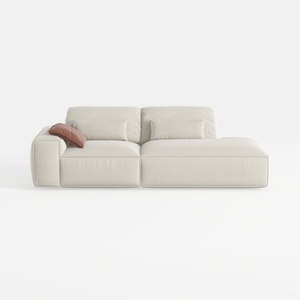
109" Cloud Sectional Couch - L Shaped Chenille Cou

sofa_843927-101 Stories

Sebastian Teak Brown 4-Piece Wood Outdoor Patio Co
Homestyler is the ultimate online home design platform for everyone. With its user-friendly design tool, stunning 3D renderings, and a wealth of design projects along with DIY video tutorials, you can effortlessly transform your living space into your dream home. Start your design journey today!
Diseño ahora GRATIS
































